

Ruam: Automatic Time Tracker for Remote Teams

Overview
Automatic time tracking and timesheets for remote teams. Counts work hours in Chrome during your schedule. No screenshots.
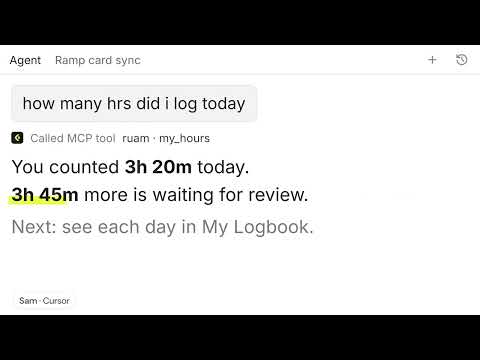
Ruam or ruam.ai counts your work hours on its own, so your timesheet is done before anyone asks. Press Start my day and work as usual. Ruam counts while you work in Chrome, notices when you step away, and asks what that time was when you come back. No timers to start or stop, no screenshots, no keystroke logging. For freelancers, solo workers and remote teams. How it works - Click Start my day, or let your schedule start it. Nothing counts before that. - Ruam counts your work time and shows today's hours on the toolbar button. - Step away and Ruam notices. When you come back, one tap tells it what that time was. - End your day with one click. Your hours are in your Ruam account at app.ruam.ai, day by day. What you get in the Ruam web app - A Logbook of your day: where your time went, by project and by hour. - Timesheets that fill themselves. - On a team: approvals, shifts, time off and reports, with hours everyone can trust. Ruam on every computer - Ruam for Windows (Microsoft Store) and Ruam for Mac count the same day in any app, not just Chrome. Your hours add up once, never twice. Your privacy - Ruam keeps the site name (never the full web address) and page title of the tab you are using, only while you are working. These stay private to you until you choose to share them. - Ruam never reads page content, never records what you type and never takes screenshots. - Incognito windows are never tracked, and you can name sites Ruam should never record. - On a team, your team sees your hours. Sites and pages stay yours unless you share them. Getting started 1. Add Ruam to Chrome and pin it to your toolbar. 2. Sign in, or create a free account. The welcome page connects the extension for you. 3. Press Start my day. Free to start. Ruam is made by Kratuva Inc. Help: help.ruam.ai Privacy: ruam.ai/privacy Status page: status.ruam.ai
5 out of 51 rating
Details
- Version0.7.0
- UpdatedNovember 12, 2026
- Size192KiB
- LanguagesEnglish (United States)
- DeveloperKratuva Inc.Website
131 Continental Dr Suite 305 Newark, DE 19713 USEmail
support@kratuva.comPhone
+91 87775 37956 - TraderThis developer has identified itself as a trader per the definition from the European Union and committed to only offer products or services that comply with EU laws.
Privacy

Ruam: Automatic Time Tracker for Remote Teams has disclosed the following information regarding the collection and usage of your data. More detailed information can be found in the developer's privacy policy.
Ruam: Automatic Time Tracker for Remote Teams handles the following:
This developer declares that your data is
- Not being sold to third parties, outside of the approved use cases
- Not being used or transferred for purposes that are unrelated to the item's core functionality
- Not being used or transferred to determine creditworthiness or for lending purposes
Support
For help with questions, suggestions, or problems, visit the developer's support site