

RSA SecurID Code Generator
2 個評分
)
總覽
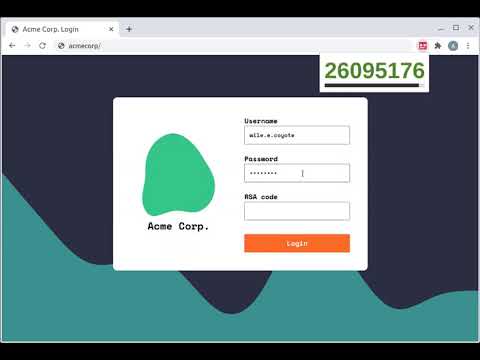
Generate RSA SecurID Codes easily in your browser
NB: This is an unofficial hobby project, and is in no way affiliated with or endorsed by RSA Security. Use at your own risk. Setup instructions: 1. Generate an Android token. This can be done via the RSA Self Service Portal: Click 'Request Token' Choose 'Software Token' then 'Android' Set and submit the PIN Choose 'Scan Token Now' (the QR code option) Use a QR code scanning app (e.g. Google Lens or Apple Camera) Your token should look like http://127.0.0.1/securid/ctf?ctfData=AwAA... 2. Click the extension icon (to the right of the address bar) and paste in the token Usage instructions: 1. Click the extension icon, and enter your pin 2. Click the code to copy it to your clipboard
4.5 分 (滿分 5 分)2 個評分
詳細資料
- 版本1.2.0
- 已更新2025年3月23日
- 提供者Adam Jones
- 大小589KiB
- 語言English
- 開發人員
電子郵件
domdomegg+chromewebstore@gmail.com - 非交易商這位開發人員並未表明自己是交易商。歐盟地區的消費者請注意,消費者權利不適用於你和這位開發人員之間簽訂的合約。
隱私權

「RSA SecurID Code Generator」已揭露下列關於收集及使用資料的資訊。 如需更多詳細資訊,請參閱開發人員的《privacy policy》。
RSA SecurID Code Generator 會處理下列資料:
這位開發者就你的資料做出下列聲明:
- 除經核准的用途外,不會將你的資料販售給第三方
- 不會基於與商品核心功能無關的目的,使用或轉移資料
- 不會為了確認信用度或基於貸款目的,使用或轉移資料
支援
如有疑問或建議,請使用電腦版瀏覽器開啟這個頁面