

RSA SecurID Code Generator
2 件の評価
)
概要
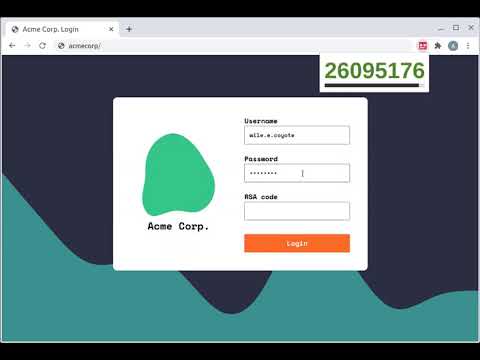
Generate RSA SecurID Codes easily in your browser
NB: This is an unofficial hobby project, and is in no way affiliated with or endorsed by RSA Security. Use at your own risk. Setup instructions: 1. Generate an Android token. This can be done via the RSA Self Service Portal: Click 'Request Token' Choose 'Software Token' then 'Android' Set and submit the PIN Choose 'Scan Token Now' (the QR code option) Use a QR code scanning app (e.g. Google Lens or Apple Camera) Your token should look like http://127.0.0.1/securid/ctf?ctfData=AwAA... 2. Click the extension icon (to the right of the address bar) and paste in the token Usage instructions: 1. Click the extension icon, and enter your pin 2. Click the code to copy it to your clipboard
5 点満点で 4.52 件の評価
詳細
- バージョン1.2.0
- 更新:2025年3月23日
- 提供元Adam Jones
- サイズ589KiB
- 言語English
- デベロッパー
メール
domdomegg+chromewebstore@gmail.com - 非取引業者このデベロッパーは取引業者として申告していません。EU 加盟国の消費者とこのデベロッパーとの間に締結された契約には、消費者の権利が適用されません。
プライバシー

RSA SecurID Code Generator から、お客様のデータの収集と使用に関する以下の情報が開示されています。 詳しくは、デベロッパーの privacy policy をご確認ください。
RSA SecurID Code Generator は次を扱います。
このデベロッパーは、お客様のデータについて以下を宣言しています
- 承認されている以外の用途で第三者に販売しないこと
- アイテムの中心機能と関係のない目的で使用または転送しないこと
- 信用力を判断する目的または融資目的で使用または転送しないこと
サポート
質問や提案、問題がある場合は、パソコンのブラウザでこのページを開いてください