


Overview
Track and manage your job search journey with Role Trackr
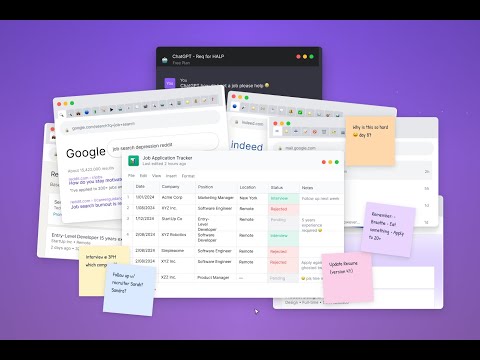
Role Trackr is your job-search command center right in your browser. Found a job posting or a great contact while browsing? Open Role Trackr and let AI do the typing. One click reads the page and fills in the details, so you can save it in seconds. What you can do: • Auto-fill with AI — capture a job posting (LinkedIn, Indeed, Greenhouse, Lever, and more) or a contact's profile; AI extracts company, title, location, salary, notes, and contact info. • Save Applications, Contacts, and Tasks to your Role Trackr account. • Search, view, and edit existing applications and contacts without leaving the page. • Add notes with a rich-text editor, and generate quick AI summaries of any page. How it works: Click "Auto-Fill with AI" and the extension reads the current page's text and sends it to Role Trackr to structure the details. It only reads a page when you ask it to. Note: Requires a Role Trackr account. Sign in with email or Google.
0 out of 5No ratings
Details
- Version1.1.0
- UpdatedJune 16, 2026
- FeaturesOffers in-app purchases
- Size361KiB
- LanguagesEnglish
- DeveloperWebsite
Email
hello@roletrackr.com - Non-traderThis developer has not identified itself as a trader. For consumers in the European Union, please note that consumer rights do not apply to contracts between you and this developer.
Privacy

Role Trackr has disclosed the following information regarding the collection and usage of your data. More detailed information can be found in the developer's privacy policy.
Role Trackr handles the following:
This developer declares that your data is
- Not being sold to third parties, outside of the approved use cases
- Not being used or transferred for purposes that are unrelated to the item's core functionality
- Not being used or transferred to determine creditworthiness or for lending purposes
Support
For help with questions, suggestions, or problems, visit the developer's support site