


Overview
Chat with Roger, your AI Google Ads expert, right inside Chrome.
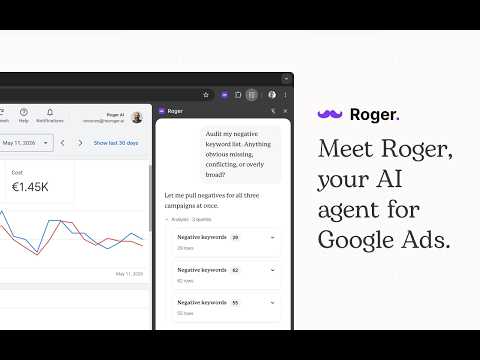
Want to boost your Google Ads ROI with an AI expert by your side? Roger AI is your Google Ads co-Pilot. He lives in the side panel of Chrome, watches the same Google Ads page you are on, and answers any question you have about your Google Ads account. Open Roger while you are looking at Campaigns, Conversions, Keywords, Assets or anywhere else inside Google Ads. He sees the page, understands the context, and gives you specific, actionable answers. No copy-pasting screenshots. No re-explaining your account every time. WHAT ROGER DOES • Analyzes any view in your Google Ads account, from spend trends to conversion paths to wasted budget. • Drafts campaigns, ad groups, keywords, and audiences, then opens the right page in Ads so you can review and apply in one click. • Investigates anomalies like sudden spend spikes, dropped impressions, or broken conversions, and explains what changed and why. • Builds client-ready reports with charts, tables, and commentary you can share or export. • Runs scheduled routines that watch your account around the clock and flag what matters before you do. • Speaks 20+ specialized skills, so he is far more than a wrapper around a generic chatbot. He is a Google Ads expert on call. WHO IT IS FOR • In-house marketers managing one or two accounts who want a senior strategist on tap. • Agencies managing dozens of clients who want a force multiplier across their book. • Founders running their own ads who want a partner, not another course. PRIVACY AND TRUST Roger only reads the URL and title of your active tab when you are on a Google ad-ops product (ads.google.com, analytics.google.com, tagmanager.google.com, search.google.com, merchants.google.com). He never reads page contents, never touches tabs outside that list, and never sends DOM, cookies, or session data anywhere. All account access happens through your own Google account, with the exact scopes you approve at sign-in. You can disconnect at any time. GET STARTED You will need a Roger account at app.heyroger.ai and a connected Google Ads account. Sign in once, open the side panel, and ask Roger anything.
5 out of 56 ratings
Details
- Version0.3.0
- UpdatedMay 31, 2026
- Size37.37KiB
- Languages3 languages
- DeveloperWebsite
Email
vincenzo@heyroger.ai - Non-traderThis developer has not identified itself as a trader. For consumers in the European Union, please note that consumer rights do not apply to contracts between you and this developer.
Privacy

Roger - Google Ads AI agent has disclosed the following information regarding the collection and usage of your data. More detailed information can be found in the developer's privacy policy.
Roger - Google Ads AI agent handles the following:
This developer declares that your data is
- Not being sold to third parties, outside of the approved use cases
- Not being used or transferred for purposes that are unrelated to the item's core functionality
- Not being used or transferred to determine creditworthiness or for lending purposes