


Overview
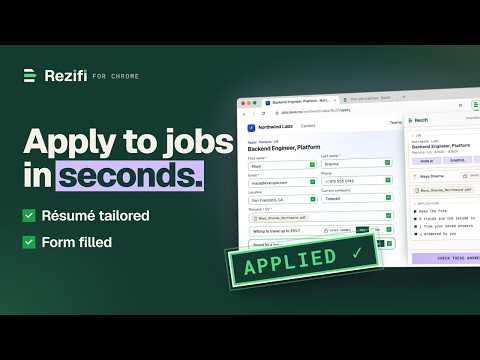
Capture the job you're viewing, tailor your resume to it, and fill the application — you check every field and press submit.
Tailor and apply without leaving the job posting. The side panel reads the posting you're viewing, proposes line-level edits to a copy of your resume, and fills the application form from your resume and the answers you have already given — then shows you every field to check. You press submit. It never sends an application without you. How a run works 1. CAPTURE — open a posting and its title, company and full description appear in the panel. On a site we don't auto-read yet, right-click → "Capture this job", or paste the description. 2. TAILOR — one click produces a plan of surgical edits to a COPY of your resume. Your original is never touched. Keep or dismiss each edit; anything the AI proposes as a figure is flagged for you to confirm. 3. APPLY — the extension fills the form from your profile and saved answers, attaches the new copy, and marks on the page what it left blank or is unsure about. 4. CHECK — you get a list of every field it filled, every one it left to you, and every one it wants you to look at. Fix anything, then press the employer's own Submit button yourself. On a form that runs over several steps, it can press Next for you when every answer on that step is one you had already approved — and you can pause that at any time. It never presses Submit. Also included - On a posting or an apply page, a small tab with our mark sits at the edge and opens the side panel. Dismiss it and it stays away for that tab. - When you finish one, you see the next role from your matches, and it loads in a tab when you ask. - Subscribers can queue several roles: each one opens in a background tab and is prepared so it is ready when you reach it. Nothing is typed until you start the fill. - Optional notifications tell you when a run needs you; turn them off in Settings. - What you submit lands in your tracker, and what you approve is remembered so the next form asks less. - Every tailored copy is saved to your account — rename it, download it as PDF or DOCX, or edit it in the full editor at app.rezifi.com. Where it works Postings are read automatically on major job boards, including LinkedIn, Indeed and Naukri, and on company careers pages run by applicant tracking systems such as Greenhouse and Workday. On any other careers site, the same right-click capture works on demand. The full list of supported sites: https://rezifi.com/extension#coverage What it reads and sends To do this work the extension sends to our servers: the listing it captures while the side panel is open (title, company, description, web address); the form you ask it to fill (its questions, choices and the page's text) and, afterwards, what landed in each field. Your resume, profile and approved answers are kept in your account. AI providers process these on our behalf to tailor and to match your details to the questions. With the side panel closed, a listing is read only inside your browser. Two small things are still sent then: on a job board, that the extension is active there (the board's name and the time, nothing you viewed), so your feed knows which quick-apply roles it can offer; and an anonymous diagnostic event naming the site's domain, so we can see where capture fails. On every other page a small local check looks for a listing and sends nothing when it finds none. Nothing is sent before you sign in. Password fields, and fields asking for a one-time code, an identity number, or a card or bank detail, are never collected. Your data is never sold and never used for advertising. Details: https://rezifi.com/privacy Price Free trial: 5 tailored copies and 10 applications, no card needed. After that a subscription is required — ₹349 per week, cancel any time. Rezifi is the seller: payment is taken on our own website, not through the store. Requires a free account (sign in with a social account or an emailed code).
5 out of 52 ratings
Details
- Version1.0.1
- UpdatedSeptember 24, 2026
- FeaturesOffers in-app purchases
- Size552KiB
- LanguagesEnglish
- DeveloperRezifi AI LLPWebsite
Sector -102 1501, Tower-5, Joyville Apartment Gurugram, Haryana 122505 INEmail
support@rezifi.comPhone
+91 97735 32304 - TraderThis developer has identified itself as a trader per the definition from the European Union and committed to only offer products or services that comply with EU laws.
Privacy

Rezifi has disclosed the following information regarding the collection and usage of your data. More detailed information can be found in the developer's privacy policy.
Rezifi handles the following:
This developer declares that your data is
- Not being sold to third parties, outside of the approved use cases
- Not being used or transferred for purposes that are unrelated to the item's core functionality
- Not being used or transferred to determine creditworthiness or for lending purposes
Support
For help with questions, suggestions, or problems, visit the developer's support site