


總覽
Facilitate the isolation of reverso examples for the purposes of creating flashcards to be uploaded to Anki or Quizlet
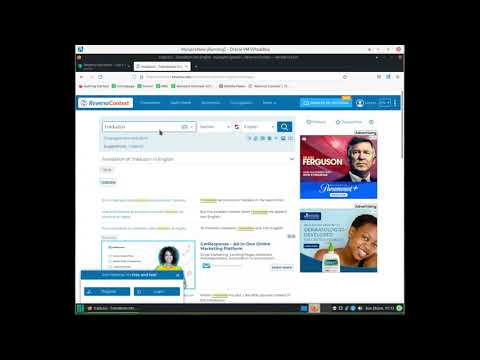
TL;DR: Create a list of Reverso Context example sentences and translations that can easily be imported into Anki or Quizlet Note: this extension does not collect any user data. It is completely free. 1) Go to Reverso Context and search a word or phrase in the language you are learning. 2) Click the extension's icon in the Chrome extensions toolbar and run the extension by pressing the "Extract!" button in the extension's popup window (or run the extension by pressing ctrl+m). At the top of the page, you will now see a list of examples and translations in an easy-to-read format in order of increasing length. Each example/translation pair will have a checkbox next to it. 3) Check the boxes of the examples you wish to turn into flashcards and press the "Select" button below the list. The extension will save these examples until you press the "Clear Examples" button in the extension popup window. 4) Repeat steps 1-3 to save as many examples as you like. Adding new saved examples does not overwrite previously saved examples. 5) Click the "Show Examples" button in the extension popup window to view all saved examples. Each example/translation pair will be displayed on a new line separated by a vertical bar "|". 6) Use the import feature for Anki or Quizlet to import the examples you selected (see https://docs.ankiweb.net/importing.html or https://help.quizlet.com/hc/en-us/articles/360029977151-Creating-sets-by-importing-content).
5 分 (滿分 5 分)1 個評分
詳細資料
- 版本0.0.6
- 已更新2024年2月18日
- 提供者the.lang.dev
- 大小47.37KiB
- 語言English
- 開發人員
電子郵件
the.lang.dev@gmail.com - 非交易商這位開發人員並未表明自己是交易商。歐盟地區的消費者請注意,消費者權利不適用於你和這位開發人員之間簽訂的合約。
隱私權

這位開發者就你的資料做出下列聲明:
- 除經核准的用途外,不會將你的資料販售給第三方
- 不會基於與商品核心功能無關的目的,使用或轉移資料
- 不會為了確認信用度或基於貸款目的,使用或轉移資料