Item logo image for Reverso Extractor

Reverso Extractor

Featured
5.0(

1 rating

)
Item media 3 (screenshot) for Reverso Extractor
Item media 4 (screenshot) for Reverso Extractor
Item video thumbnail
Item media 2 (screenshot) for Reverso Extractor
Item media 3 (screenshot) for Reverso Extractor
Item media 4 (screenshot) for Reverso Extractor
Item video thumbnail
Item media 2 (screenshot) for Reverso Extractor
Item video thumbnail
Item media 2 (screenshot) for Reverso Extractor
Item media 3 (screenshot) for Reverso Extractor
Item media 4 (screenshot) for Reverso Extractor

Overview

Facilitate the isolation of reverso examples for the purposes of creating flashcards to be uploaded to Anki or Quizlet

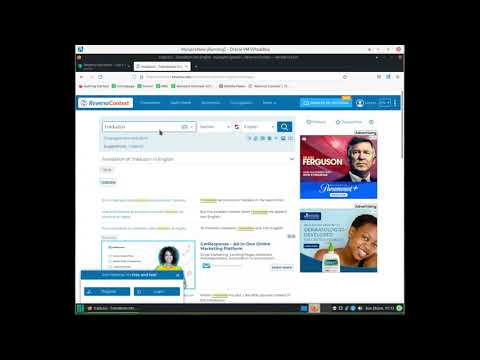
TL;DR: Create a list of Reverso Context example sentences and translations that can easily be imported into Anki or Quizlet Note: this extension does not collect any user data. It is completely free. 1) Go to Reverso Context and search a word or phrase in the language you are learning. 2) Click the extension's icon in the Chrome extensions toolbar and run the extension by pressing the "Extract!" button in the extension's popup window (or run the extension by pressing ctrl+m). At the top of the page, you will now see a list of examples and translations in an easy-to-read format in order of increasing length. Each example/translation pair will have a checkbox next to it. 3) Check the boxes of the examples you wish to turn into flashcards and press the "Select" button below the list. The extension will save these examples until you press the "Clear Examples" button in the extension popup window. 4) Repeat steps 1-3 to save as many examples as you like. Adding new saved examples does not overwrite previously saved examples. 5) Click the "Show Examples" button in the extension popup window to view all saved examples. Each example/translation pair will be displayed on a new line separated by a vertical bar "|". 6) Use the import feature for Anki or Quizlet to import the examples you selected (see https://docs.ankiweb.net/importing.html or https://help.quizlet.com/hc/en-us/articles/360029977151-Creating-sets-by-importing-content).

Details

  • Version
    0.0.6
  • Updated
    February 18, 2024
  • Offered by
    the.lang.dev
  • Size
    47.37KiB
  • Languages
    English
  • Developer
    Email
    the.lang.dev@gmail.com
  • Non-trader
    This developer has not identified itself as a trader. For consumers in the European Union, please note that consumer rights do not apply to contracts between you and this developer.

Privacy

The developer has disclosed that it will not collect or use your data.

This developer declares that your data is

  • Not being sold to third parties, outside of the approved use cases
  • Not being used or transferred for purposes that are unrelated to the item's core functionality
  • Not being used or transferred to determine creditworthiness or for lending purposes

Related

Anki Vocabulary

4.0

Easily save words and get instant translations. Review, export for Anki, and accelerate language learning.

Vocab Tracker

4.3

VocabTracker is inspired by LingQ, Readlang and LWT: it helps you track your vocabulary on any web page.

Anki Quick Adder

4.1

This extension provides the ability to create anki cards directly from Google Chrome on your Anki Desktop.

Reverso – Translation, dictionary

4.6

Translate and learn languages while browsing and watching movies, it’s free.

Anki Dictionary

4.4

Look up words instantly and save them as Anki flashcards, 100x faster than manual entry. Any language, auto-detected.

Quick Anki Adder

1.9

Quick Anki card adder with translate, animated picture (.gif), and text-to-speech (TTS ) resources.

Anki generator, powered by open ai GPT

4.2

Phagos

Youtube2Anki

5.0

Convert YouTube Transcripts to Anki cards

LingQ Importer

3.1

Automatically import foreign language content from the web & study it with LingQ's web & mobile language learning apps.

Wordentifier: Improve Your Vocabulary

4.4

Improve vocabulary by automatically highlighting every word on your vocabulary list every time it appears on the website you visit.

Readlang Web Reader

4.3

Read websites in the language you're learning, translate words you don't know, and we'll create flashcards to help you remember.

Dictionariez: Your Dictionary, Your Language

4.8

A customizable dictionary extension that supports double-click lookups in 20+ languages, 1000+ dictionaries, and Anki integration.

Anki Vocabulary

4.0

Easily save words and get instant translations. Review, export for Anki, and accelerate language learning.

Vocab Tracker

4.3

VocabTracker is inspired by LingQ, Readlang and LWT: it helps you track your vocabulary on any web page.

Anki Quick Adder

4.1

This extension provides the ability to create anki cards directly from Google Chrome on your Anki Desktop.

Reverso – Translation, dictionary

4.6

Translate and learn languages while browsing and watching movies, it’s free.

Anki Dictionary

4.4

Look up words instantly and save them as Anki flashcards, 100x faster than manual entry. Any language, auto-detected.

Quick Anki Adder

1.9

Quick Anki card adder with translate, animated picture (.gif), and text-to-speech (TTS ) resources.

Anki generator, powered by open ai GPT

4.2

Phagos

Youtube2Anki

5.0

Convert YouTube Transcripts to Anki cards

Google apps