Imagem do logotipo de Reverse Image Search

Reverse Image Search

Em destaque
3,3(

14 notas

)
ExtensãoFerramentas5.000 usuários
Miniatura do vídeo do item
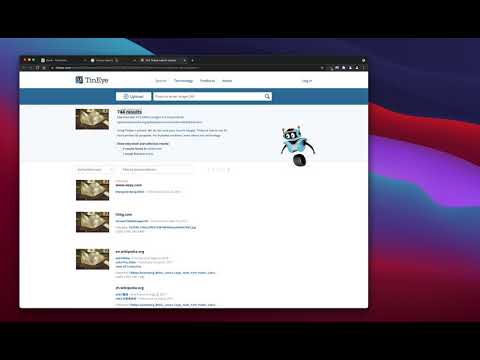
Mídia 2 (captura de tela) para Reverse Image Search

Visão geral

uma poderosa ferramenta de busca de imagens invertidas de captura construída sobre os motores TinEye/Google Images

"Reverse Image Search" extension helps you to find similar images or the original image source and its name. This is a useful tool to find for instance the actual image name or detect whether this image is unique or is just a copy or a modified copy of an already existed image on the web. In most cases, images are embedded in the background page and hence it is not straightforward to find the actual source of them to be passed to a reverse image search engine. Also, the image you are looking for maybe just part of a video stream. This extension solves these problems by providing a capturing tool in the right-click context menu. Simply select the item and capture a portion of the screen. The captured image is automatically sent to either "TinEye" or "Google Images" search engine, and after a successful upload, a new page with the matching results is displayed. This extension adds three items to the context menu of your browser: 1. Google Images (Image URL) 2. Tineye (Image URL) 3. Google Images (Capture) The first two items are added to the image context menu, and the third one is added to the page context to activate the capturing tool. Instead of the third option, you can alternatively press the browser action button. Links: FAQs Page: https://add0n.com/reverse-image-search.html GitHub Page: https://github.com/schomery/reverse-image-search/

Detalhes

  • Versão
    0.3.0
  • Atualização
    10 de agosto de 2021
  • Oferecido por
    chYer
  • Tamanho
    129KiB
  • Idiomas
    12 idiomas
  • Desenvolvedor
    E-mail
    chyer.webstore@yahoo.com
  • Não negociante
    Esse desenvolvedor não se identificou como comerciante. Caso você seja da União Europeia, observe que os direitos do consumidor não se aplicam a contratos firmados entre você e esse desenvolvedor.

Privacidade

Gerencie extensões e saiba como elas estão sendo usadas na sua organização
O desenvolvedor divulgou que o item não vai coletar nem usar seus dados.

O desenvolvedor declara que seus dados

  • Não são vendidos a terceiros, exceto nos casos de uso aprovados
  • Não são usados ou transferidos para fins não relacionados à função principal do item
  • Não são usados ou transferidos para informações de crédito ou empréstimo

Suporte

Para receber ajuda com perguntas, sugestões ou problemas, acesse o site de suporte do desenvolvedor.

Itens relacionados

Fast Image Research

4,4

Right click any image to instantly get reverse image search results from Google, TinEye, Yandex, Bing, or a combination.

Reverse Image Search

3,3

Search images on your browser just one click.

Search It All

3,9

Search across multiple search engines with one click - no retyping needed

Omni - Meta Search Engine

4,5

One search box. Many buttons.

Search by Image

4,1

A powerful reverse image search tool, with support for various search engines, such as Google, Bing, Yandex, Baidu and TinEye.

TinEye Reverse Image Search

4,5

This is the official TinEye Chrome extension. Find out where an image came from, how it's used, or find higher resolution versions.

RevEye Reverse Image Search

4,1

Perform a search by image. Choose between the image search engines Google, Bing, Yandex, TinEye, or user-defined engines.

Pesquisa Reversa de Imagens

4,4

Adicionar uma opção ao menu de contexto para fazer uma busca reversa de uma imagem em vários serviços

Image Search

3,6

Find similar images in popular search engines

Reverse Image Search

4,0

Right click on an image and find it's origin in Google image search.

Search image with Yandex

4,5

Search for similar images in Yandex with open source code, without advertising and analytics.

Reverse Image Search

3,7

Search similar images in the WEB from context menu

Fast Image Research

4,4

Right click any image to instantly get reverse image search results from Google, TinEye, Yandex, Bing, or a combination.

Reverse Image Search

3,3

Search images on your browser just one click.

Search It All

3,9

Search across multiple search engines with one click - no retyping needed

Omni - Meta Search Engine

4,5

One search box. Many buttons.

Search by Image

4,1

A powerful reverse image search tool, with support for various search engines, such as Google, Bing, Yandex, Baidu and TinEye.

TinEye Reverse Image Search

4,5

This is the official TinEye Chrome extension. Find out where an image came from, how it's used, or find higher resolution versions.

RevEye Reverse Image Search

4,1

Perform a search by image. Choose between the image search engines Google, Bing, Yandex, TinEye, or user-defined engines.

Pesquisa Reversa de Imagens

4,4

Adicionar uma opção ao menu de contexto para fazer uma busca reversa de uma imagem em vários serviços

Google Apps