Logoafbeelding van item voor Reverse Image Search

Reverse Image Search

Aanbevolen
3,3(

14 beoordelingen

)
ExtensieTools5.000 gebruikers
Videothumbnail van item
Itemmedia 2 (screenshot) voor Reverse Image Search

Overzicht

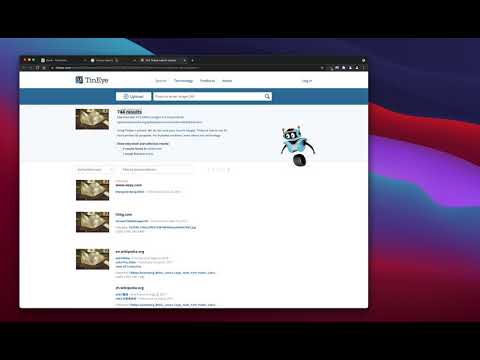
een krachtig zoekprogramma voor omgekeerde afbeeldingen, gebouwd bovenop de TinEye/Google Afbeeldingen-engines

"Reverse Image Search" extension helps you to find similar images or the original image source and its name. This is a useful tool to find for instance the actual image name or detect whether this image is unique or is just a copy or a modified copy of an already existed image on the web. In most cases, images are embedded in the background page and hence it is not straightforward to find the actual source of them to be passed to a reverse image search engine. Also, the image you are looking for maybe just part of a video stream. This extension solves these problems by providing a capturing tool in the right-click context menu. Simply select the item and capture a portion of the screen. The captured image is automatically sent to either "TinEye" or "Google Images" search engine, and after a successful upload, a new page with the matching results is displayed. This extension adds three items to the context menu of your browser: 1. Google Images (Image URL) 2. Tineye (Image URL) 3. Google Images (Capture) The first two items are added to the image context menu, and the third one is added to the page context to activate the capturing tool. Instead of the third option, you can alternatively press the browser action button. Links: FAQs Page: https://add0n.com/reverse-image-search.html GitHub Page: https://github.com/schomery/reverse-image-search/

Details

  • Versie
    0.3.0
  • Geüpdatet
    10 augustus 2021
  • Aangeboden door
    chYer
  • Grootte
    129KiB
  • Talen
    12 talen
  • Ontwikkelaar
    E-mail
    chyer.webstore@yahoo.com
  • Geen handelaar
    Deze ontwikkelaar heeft zichzelf niet geïdentificeerd als handelaar. Voor consumenten in de Europese Unie geldt dat consumentenrechten niet van toepassing zijn op contracten tussen jou en deze ontwikkelaar.

Privacy

Beheer extensies en ontdek hoe ze worden gebruikt in je organisatie
De ontwikkelaar heeft aangegeven dat je gegevens niet worden verzameld of gebruikt.

Deze ontwikkelaar verklaart dat je gegevens:

  • Niet worden verkocht aan derden, behalve voor de goedgekeurde toepassingen
  • Niet worden gebruikt of overgedragen voor doeleinden die niet zijn gerelateerd aan de kernfunctionaliteit van het item
  • Niet worden gebruikt of overgedragen om de kredietwaardigheid te bepalen of voor doeleinden met betrekking tot leningen

Support

Ga naar de supportsite van de ontwikkelaar voor hulp bij vragen, suggesties of problemen

Gerelateerd

Fast Image Research

4,4

Right click any image to instantly get reverse image search results from Google, TinEye, Yandex, Bing, or a combination.

Omgekeerd zoeken naar afbeeldingen

3,3

Zoek afbeeldingen in uw browser met slechts één klik.

Search It All

3,9

Search across multiple search engines with one click - no retyping needed

Omni - Meta Search Engine

4,5

One search box. Many buttons.

Search by Image

4,1

A powerful reverse image search tool, with support for various search engines, such as Google, Bing, Yandex, Baidu and TinEye.

TinEye Reverse Image Search

4,5

This is the official TinEye Chrome extension. Find out where an image came from, how it's used, or find higher resolution versions.

RevEye Reverse Image Search

4,1

Perform a search by image. Choose between the image search engines Google, Bing, Yandex, TinEye, or user-defined engines.

Reverse Image Search

4,4

Adds an option to the context menu to reverse search an image on various services

Image Search

3,6

Find similar images in popular search engines

Reverse Image Search

4,0

Right click on an image and find it's origin in Google image search.

Search image with Yandex

4,5

Search for similar images in Yandex with open source code, without advertising and analytics.

Reverse Image Search

3,7

Search similar images in the WEB from context menu

Fast Image Research

4,4

Right click any image to instantly get reverse image search results from Google, TinEye, Yandex, Bing, or a combination.

Omgekeerd zoeken naar afbeeldingen

3,3

Zoek afbeeldingen in uw browser met slechts één klik.

Search It All

3,9

Search across multiple search engines with one click - no retyping needed

Omni - Meta Search Engine

4,5

One search box. Many buttons.

Search by Image

4,1

A powerful reverse image search tool, with support for various search engines, such as Google, Bing, Yandex, Baidu and TinEye.

TinEye Reverse Image Search

4,5

This is the official TinEye Chrome extension. Find out where an image came from, how it's used, or find higher resolution versions.

RevEye Reverse Image Search

4,1

Perform a search by image. Choose between the image search engines Google, Bing, Yandex, TinEye, or user-defined engines.

Reverse Image Search

4,4

Adds an option to the context menu to reverse search an image on various services

Google-apps