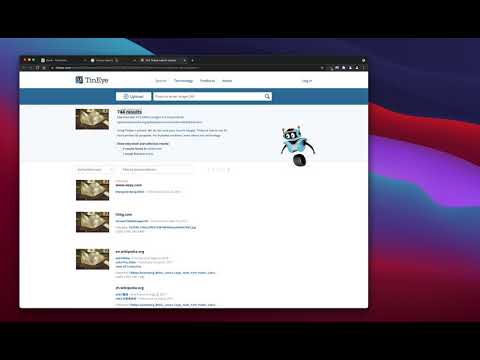
Reverse Image Search のアイテムロゴ画像

Reverse Image Search

おすすめ
3.3(

14 件の評価

)
拡張機能ツール5,000 ユーザー
アイテムの動画サムネイル
Reverse Image Search のアイテム メディア 2 のスクリーンショット

概要

TinEye/Google Imagesエンジンをベースに開発された強力なキャプチャーリバースイメージサーチツールです。

"Reverse Image Search" extension helps you to find similar images or the original image source and its name. This is a useful tool to find for instance the actual image name or detect whether this image is unique or is just a copy or a modified copy of an already existed image on the web. In most cases, images are embedded in the background page and hence it is not straightforward to find the actual source of them to be passed to a reverse image search engine. Also, the image you are looking for maybe just part of a video stream. This extension solves these problems by providing a capturing tool in the right-click context menu. Simply select the item and capture a portion of the screen. The captured image is automatically sent to either "TinEye" or "Google Images" search engine, and after a successful upload, a new page with the matching results is displayed. This extension adds three items to the context menu of your browser: 1. Google Images (Image URL) 2. Tineye (Image URL) 3. Google Images (Capture) The first two items are added to the image context menu, and the third one is added to the page context to activate the capturing tool. Instead of the third option, you can alternatively press the browser action button. Links: FAQs Page: https://add0n.com/reverse-image-search.html GitHub Page: https://github.com/schomery/reverse-image-search/

詳細

  • バージョン
    0.3.0
  • 更新:
    2021年8月10日
  • 提供元
    chYer
  • サイズ
    129KiB
  • 言語
    12 言語
  • デベロッパー
    メール
    chyer.webstore@yahoo.com
  • 非取引業者
    このデベロッパーは取引業者として申告していません。EU 加盟国の消費者とこのデベロッパーとの間に締結された契約には、消費者の権利が適用されません。

プライバシー

拡張機能を管理し、組織での使用状況を確認できます
デベロッパーは、お客様のデータを収集または使用しないことを表明しています。

このデベロッパーは、お客様のデータについて以下を宣言しています

  • 承認されている以外の用途で第三者に販売しないこと
  • アイテムの中心機能と関係のない目的で使用または転送しないこと
  • 信用力を判断する目的または融資目的で使用または転送しないこと

サポート

質問や提案、問題がある場合は、デベロッパーのサポートサイトにアクセスしてください。

関連アイテム

Fast Image Research

4.4

Right click any image to instantly get reverse image search results from Google, TinEye, Yandex, Bing, or a combination.

画像の逆検索

3.3

ワンクリックでブラウザの画像を検索できます。

Search It All

3.9

Search across multiple search engines with one click - no retyping needed

Omni - Meta Search Engine

4.5

One search box. Many buttons.

Search by Image

4.1

A powerful reverse image search tool, with support for various search engines, such as Google, Bing, Yandex, Baidu and TinEye.

TinEye Reverse Image Search

4.5

This is the official TinEye Chrome extension. Find out where an image came from, how it's used, or find higher resolution versions.

RevEye Reverse Image Search

4.1

Perform a search by image. Choose between the image search engines Google, Bing, Yandex, TinEye, or user-defined engines.

Reverse Image Search

4.4

コンテキストメニューにオプションを追加することで、さまざまなサービスで類似した画像の検索ができます

Image Search

3.6

Find similar images in popular search engines

Reverse Image Search

4.0

Right click on an image and find it's origin in Google image search.

Search image with Yandex

4.5

Search for similar images in Yandex with open source code, without advertising and analytics.

Reverse Image Search

3.7

Search similar images in the WEB from context menu

Fast Image Research

4.4

Right click any image to instantly get reverse image search results from Google, TinEye, Yandex, Bing, or a combination.

画像の逆検索

3.3

ワンクリックでブラウザの画像を検索できます。

Search It All

3.9

Search across multiple search engines with one click - no retyping needed

Omni - Meta Search Engine

4.5

One search box. Many buttons.

Search by Image

4.1

A powerful reverse image search tool, with support for various search engines, such as Google, Bing, Yandex, Baidu and TinEye.

TinEye Reverse Image Search

4.5

This is the official TinEye Chrome extension. Find out where an image came from, how it's used, or find higher resolution versions.

RevEye Reverse Image Search

4.1

Perform a search by image. Choose between the image search engines Google, Bing, Yandex, TinEye, or user-defined engines.

Reverse Image Search

4.4

コンテキストメニューにオプションを追加することで、さまざまなサービスで類似した画像の検索ができます

Google アプリ