Immagine del logo dell'elemento per Reverse Image Search

Reverse Image Search

In primo piano
3,3(

14 valutazioni

)
Miniatura del video dell'elemento
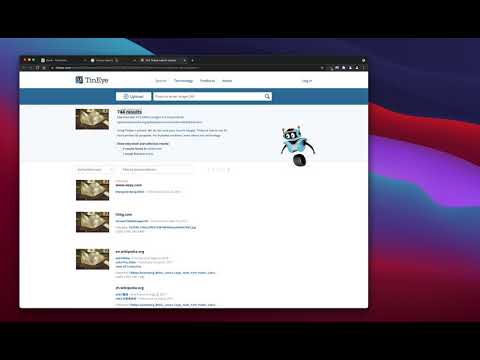
Contenuti multimediali (screenshot) dell'elemento: 2 per Reverse Image Search

Panoramica

un potente strumento di ricerca inversa delle immagini costruito sulla base dei motori TinEye/Google Images

"Reverse Image Search" extension helps you to find similar images or the original image source and its name. This is a useful tool to find for instance the actual image name or detect whether this image is unique or is just a copy or a modified copy of an already existed image on the web. In most cases, images are embedded in the background page and hence it is not straightforward to find the actual source of them to be passed to a reverse image search engine. Also, the image you are looking for maybe just part of a video stream. This extension solves these problems by providing a capturing tool in the right-click context menu. Simply select the item and capture a portion of the screen. The captured image is automatically sent to either "TinEye" or "Google Images" search engine, and after a successful upload, a new page with the matching results is displayed. This extension adds three items to the context menu of your browser: 1. Google Images (Image URL) 2. Tineye (Image URL) 3. Google Images (Capture) The first two items are added to the image context menu, and the third one is added to the page context to activate the capturing tool. Instead of the third option, you can alternatively press the browser action button. Links: FAQs Page: https://add0n.com/reverse-image-search.html GitHub Page: https://github.com/schomery/reverse-image-search/

Dettagli

  • Versione
    0.3.0
  • Ultimo aggiornamento:
    10 agosto 2021
  • Elemento offerto da
    chYer
  • Dimensioni
    129KiB
  • Lingue
    12 lingue
  • Sviluppatore
    Email
    chyer.webstore@yahoo.com
  • Non commerciante
    Questo sviluppatore non si è identificato come commerciante. Per quanto riguarda i consumatori nell'Unione Europea, tieni presente che i diritti del consumatore non sono applicabili ai contratti stipulati tra te e questo sviluppatore.

Privacy

Gestisci le estensioni e scopri come vengono utilizzate nella tua organizzazione
Lo sviluppatore ha comunicato che non raccoglierà e non userà i tuoi dati.

Questo sviluppatore dichiara che i tuoi dati:

  • Non vengono venduti a terze parti, se non per i casi d'uso approvati.
  • Non vengono usati o trasferiti per finalità non correlate alle funzionalità principali dell'elemento.
  • Non vengono usati o trasferiti per stabilire l'affidabilità creditizia o per finalità di prestito.

Assistenza

Per ricevere assistenza in merito a domande, suggerimenti o problemi, visita il sito di assistenza dello sviluppatore

Correlati

Fast Image Research

4,4

Right click any image to instantly get reverse image search results from Google, TinEye, Yandex, Bing, or a combination.

Ricerca inversa di immagini

3,3

Cerca le immagini sul tuo browser con un solo clic.

Search It All

3,9

Search across multiple search engines with one click - no retyping needed

Omni - Meta Search Engine

4,5

One search box. Many buttons.

Search by Image

4,1

A powerful reverse image search tool, with support for various search engines, such as Google, Bing, Yandex, Baidu and TinEye.

TinEye Reverse Image Search

4,5

This is the official TinEye Chrome extension. Find out where an image came from, how it's used, or find higher resolution versions.

RevEye Reverse Image Search

4,1

Perform a search by image. Choose between the image search engines Google, Bing, Yandex, TinEye, or user-defined engines.

Reverse Image Search

4,4

Adds an option to the context menu to reverse search an image on various services

Image Search

3,6

Find similar images in popular search engines

Reverse Image Search

4,0

Right click on an image and find it's origin in Google image search.

Search image with Yandex

4,5

Search for similar images in Yandex with open source code, without advertising and analytics.

Reverse Image Search

3,7

Search similar images in the WEB from context menu

Fast Image Research

4,4

Right click any image to instantly get reverse image search results from Google, TinEye, Yandex, Bing, or a combination.

Ricerca inversa di immagini

3,3

Cerca le immagini sul tuo browser con un solo clic.

Search It All

3,9

Search across multiple search engines with one click - no retyping needed

Omni - Meta Search Engine

4,5

One search box. Many buttons.

Search by Image

4,1

A powerful reverse image search tool, with support for various search engines, such as Google, Bing, Yandex, Baidu and TinEye.

TinEye Reverse Image Search

4,5

This is the official TinEye Chrome extension. Find out where an image came from, how it's used, or find higher resolution versions.

RevEye Reverse Image Search

4,1

Perform a search by image. Choose between the image search engines Google, Bing, Yandex, TinEye, or user-defined engines.

Reverse Image Search

4,4

Adds an option to the context menu to reverse search an image on various services

App Google