

Reveal.js Screen Export

Overview
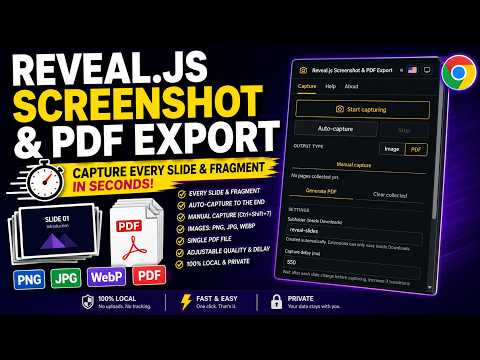
Automatically capture slides and fragments from reveal.js presentations. Export as PNG, JPG, WebP or a single PDF file.
Automatically capture every slide and fragment from Reveal.js presentations and export them as high-quality images or a single PDF file. Perfect for educators, students, researchers, conference speakers, and developers who need to document, print, share, or archive presentations. Works directly in your browser without requiring any modifications to your Reveal.js presentation. Compatible with Reveal.js presentations running locally or hosted online. ✨ FEATURES 📷 Automatically captures every slide and fragment. 🎬 Auto-capture to the end: walks from the current slide to the last one automatically. ⌨ Manual capture of variations of the current slide, via button or the Ctrl+Shift+7 shortcut. 🖼 Export images in PNG, JPG, and WebP formats. 📄 Generate a single PDF file containing all captured slides. ⚙ Adjustable image and PDF quality. ⏱ Configurable capture delay to avoid recording animations and transitions. 📝 Customizable filenames, prefixes, and sequential numbering. 📁 Optionally save captures to a dedicated Downloads subfolder. 🗂 Enable or disable capturing independently for each browser tab. 🌗 Light, dark, or system theme. 🔒 All processing is performed 100% locally. Your presentation data is never sent to external servers. 🎯 TYPICAL USE CASES 👨🏫 Creating teaching materials. 🎓 Saving presentations for studying and review. 📚 Producing technical documentation and handouts. 🎤 Archiving conference talks and presentations. 💻 Documenting software demonstrations. 🧩 Capturing presentations with incremental fragments. 🚀 HOW TO USE 1. Open a presentation built with Reveal.js — running locally or hosted online. No changes needed to the presentation's source code. 2. Click the extension icon and press "Start capturing". 3. Navigate through the presentation as usual (arrows, space, clicks) — every slide and fragment is captured automatically. 4. (Optional) Use "Auto-capture" to walk through the deck to the end automatically. 5. (Optional) Use "Manual capture" (button or Ctrl+Shift+7) to record variations of the current slide. 6. Export the captured images or generate a single PDF file. 🔒 PRIVACY This extension does not collect, transmit, or store any presentation data outside your machine. All screenshot capture, image processing, and PDF generation happen locally in your browser. No analytics, no external requests, no tracking. ❓ FAQ Does it work with any Reveal.js presentation? Yes — it detects standard Reveal.js slide/fragment navigation, whether the deck is hosted online or opened locally. Will it capture slide transitions or animations? No — the configurable capture delay lets you wait until animations/transitions finish before the screenshot is taken. Can I use it on multiple tabs at once? Yes — capturing can be enabled or disabled independently per tab. Does it modify my presentation? No — it works entirely from the browser side; nothing needs to be added to your Reveal.js project. ❤ SUPPORT THE PROJECT If this extension has been helpful to you, please consider supporting its continued development. Your support helps maintain the project, fix bugs, and develop new features. ☕ Buy Me a Coffee — https://buymeacoffee.com/wyllian
0 out of 5No ratings
Details
- Version4.5
- UpdatedOctober 28, 2026
- Offered bywyllianbs
- Size361KiB
- Languages2 languages
- Developer
Email
wyllianbs@gmail.com - Non-traderThis developer has not identified itself as a trader. For consumers in the European Union, please note that consumer rights do not apply to contracts between you and this developer.
Privacy

This developer declares that your data is
- Not being sold to third parties, outside of the approved use cases
- Not being used or transferred for purposes that are unrelated to the item's core functionality
- Not being used or transferred to determine creditworthiness or for lending purposes
Support
For help with questions, suggestions, or problems, visit the developer's support site