


Overview
Create tailored resumes, analyze job fit, and save jobs from the active tab.
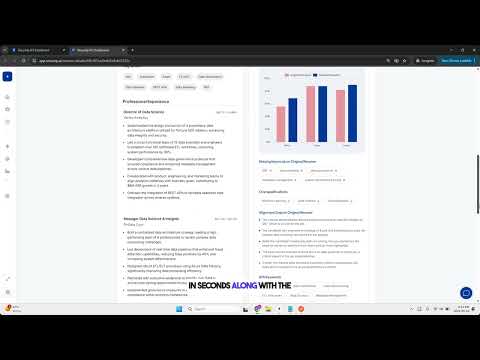
Resumly is your job-search command center inside Chrome. From any job posting, capture the role, tailor your resume with AI, and see how well you match — all from a side panel that stays out of your way. ✅ Why Resumly? Stop copying job descriptions into tabs and documents. Resumly reads the posting in context and turns it into structured actions: a tailored, ATS-aware resume, a clear fit analysis, and saved roles in your Resumly workspace — without breaking your flow. ✅ What you can do 👉 Side panel workspace — Open Resumly right next to any job posting. Sign in with your Resumly account and reach your actions in one click, without leaving the page. 👉 One-click tailored resumes — Start a tailored resume straight from a job page. Resumly reads the posting and opens your new resume in the Resumly app to finish building. 👉 Check My Fit — See how you align with the role across skills, experience, education, industry, and technical dimensions — with matched and missing skills, gaps, and practical suggestions shown right on the job page. 👉 Save jobs — Save any posting to your Resumly workspace with built-in duplicate detection, so roles you save from Chrome stay organized for easy follow-up. 👉 Continue in Resumly — Once a resume is created, pick up in your Resumly account to refine it and keep your job search moving. ✅ Privacy & trust Your Resumly account ties the extension to your workspace. Resumly reads a job page only when you ask it to, and your job-search workflow stays purpose-built and transparent — with clear handling even when connectivity is flaky. To get started you'll need a Resumly account and a base resume set up at app.resumly.ai. Works together with app.resumly.ai.
5 out of 56 ratings
Details
- Version1.0.11
- UpdatedOctober 17, 2026
- Size45.62KiB
- LanguagesEnglish
- Developer
- Non-traderThis developer has not identified itself as a trader. For consumers in the European Union, please note that consumer rights do not apply to contracts between you and this developer.
Privacy

Resumly Browser Extension has disclosed the following information regarding the collection and usage of your data. More detailed information can be found in the developer's privacy policy.
Resumly Browser Extension handles the following:
This developer declares that your data is
- Not being sold to third parties, outside of the approved use cases
- Not being used or transferred for purposes that are unrelated to the item's core functionality
- Not being used or transferred to determine creditworthiness or for lending purposes
Support
For help with questions, suggestions, or problems, visit the developer's support site