

Restify – API Client

Overview
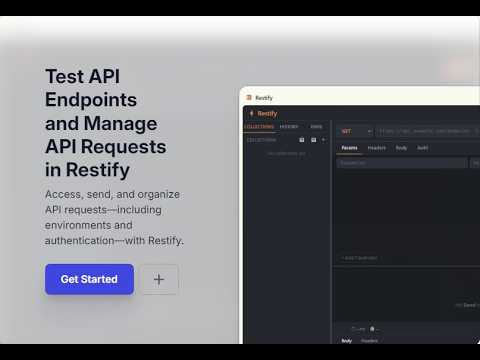
A free, lightweight Postman-like API client built right into Chrome's side panel.
Restify is a free, fully-featured API client that lives right in Chrome's side panel — no separate app to install, no subscription, no limits. Test REST APIs without ever leaving your browser. Whether you're a developer debugging endpoints, a QA engineer validating responses, or a student learning how APIs work, Restify gives you everything you need in a clean, fast interface. ────────────────────────────── ⚡ FEATURES ────────────────────────────── 🔧 Full Request Builder HTTP methods: GET, POST, PUT, PATCH, DELETE, HEAD, OPTIONS Query parameters editor with key-value rows Custom headers with count badge Request body: JSON, plain text, form-data, x-www-form-urlencoded Bearer Token, Basic Auth, and API Key authentication 📊 Rich Response Viewer Syntax-highlighted, collapsible JSON responses HTTP status badge with color coding (2xx green, 4xx red, 5xx red) Response time (ms) and size (KB/MB) View response headers One-click copy to clipboard 🧪 Tests & Assertions (NEW) Add no-code assertions to any request — status code, response time, JSON path values, headers, body content, and more Tests run automatically every time you hit Send Instant PASS/FAIL results with actual vs expected values Export your assertions as runnable test code in any framework: Jest, Mocha + Chai, Playwright (TypeScript), pytest, unittest, JUnit 5, or TestNG ▶ Collection Runner & Reports (NEW) Run all requests in a collection with one click Watch requests execute live with a real-time progress view Download a beautiful HTML test report — score summary, per-request status cards, and full assertion detail 📁 Collections & History Save requests into named collections Organize requests into folders Full request history (last 200 requests) Right-click to delete saved requests 🌍 Environments & Variables Create multiple environments (Development, Staging, Production) Define variables and use them as {{VARIABLE_NAME}} in URLs, headers, and body Switch active environment with one click ✨ Smart JSON Editor One-click Prettier formatting for JSON request bodies Inline JSON validation with clear error messages 🌙 Dark & Light Theme Beautiful dark mode by default Toggle to light mode anytime — preference is saved 📥📤 Import & Export Export all collections as a JSON backup Import Restify JSON or Postman Collection v2.1 files — migrate from Postman in seconds ────────────────────────────── 🆓 100% FREE, FOREVER ────────────────────────────── No account required. No paywalls. No telemetry. Everything is stored locally in your browser using Chrome's built-in storage. ────────────────────────────── 🔒 PRIVACY ────────────────────────────── Restify never sends your requests, credentials, or data to any external server. All data stays in your browser. The only network requests made are the ones you explicitly trigger by clicking Send. ────────────────────────────── 💡 PERFECT FOR ────────────────────────────── Frontend developers testing backend APIs Backend developers verifying their own endpoints QA engineers doing manual API testing and generating reports Teams who want portable, shareable test suites without a paid tool Students learning REST APIs and HTTP Anyone who finds Postman too heavy for quick tests ────────────────────────────── ⌨️ HOW TO USE ────────────────────────────── Click the Restify icon in your Chrome toolbar The side panel opens alongside any tab Enter a URL, pick a method, hit Send Add assertions in the Tests tab to validate responses automatically Save requests to Collections — then Run the whole collection and download your report No setup. No login. Just open and go.
0 out of 5No ratings
Details
- Version1.1.0
- UpdatedJune 22, 2026
- Size146KiB
- LanguagesEnglish (United States)
- Developer
Email
ashishjsharda@gmail.com - Non-traderThis developer has not identified itself as a trader. For consumers in the European Union, please note that consumer rights do not apply to contracts between you and this developer.
Privacy

This developer declares that your data is
- Not being sold to third parties, outside of the approved use cases
- Not being used or transferred for purposes that are unrelated to the item's core functionality
- Not being used or transferred to determine creditworthiness or for lending purposes
Support
For help with questions, suggestions, or problems, visit the developer's support site