


Overview
Export tables to Excel and CSV.
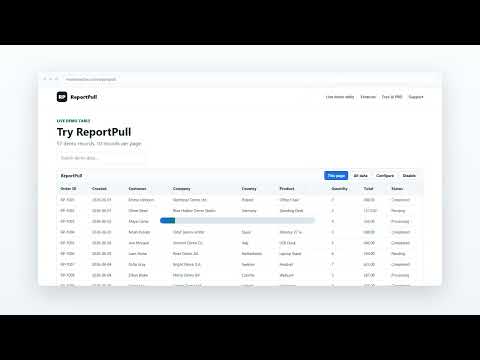
Your report has thousands of rows, but the website only shows a few at a time? ReportPull helps you export complete tables and reports to Excel (XLSX) or CSV — not just the rows currently visible on the screen. Instead of clicking “Next” page after page, ReportPull can try to collect the complete report automatically. It supports many common table formats, including paginated tables, DataTables, dynamic grids, API-backed reports and standard HTML tables. When the website supports it, ReportPull can retrieve multiple pages of data and combine them into a single export. You can export up to 50,000 rows in one report. Before exporting, you can choose which columns to include, rename them, change their order and save your configuration for future exports. You can also export only the currently visible table whenever you do not need the full report. Available formats: • Excel (.xlsx) • CSV (.csv) Your report data is processed locally in your browser. ReportPull does not require you to upload table or report data to an external service. No account is required. Don't export the page. Export the report.
5 out of 51 rating
Details
- Version1.2.4
- UpdatedSeptember 4, 2026
- FeaturesOffers in-app purchases
- Size150KiB
- Languages5 languages
- DeveloperUSŁUGI INFORMATYCZNE MAREK WIELEBAWebsite
Ul. Myśliwska 142 Rzeszów 35-212 PLEmail
support@mwinteractive.comPhone
+48 662 035 291 - TraderThis developer has identified itself as a trader per the definition from the European Union and committed to only offer products or services that comply with EU laws.
- D-U-N-S439597768
Privacy

ReportPull has disclosed the following information regarding the collection and usage of your data. More detailed information can be found in the developer's privacy policy.
ReportPull handles the following:
This developer declares that your data is
- Not being sold to third parties, outside of the approved use cases
- Not being used or transferred for purposes that are unrelated to the item's core functionality
- Not being used or transferred to determine creditworthiness or for lending purposes
Support
For help with questions, suggestions, or problems, please open this page on your desktop browser