


Overview
Generate AI-powered replies, memes, and GIFs for LinkedIn and X posts
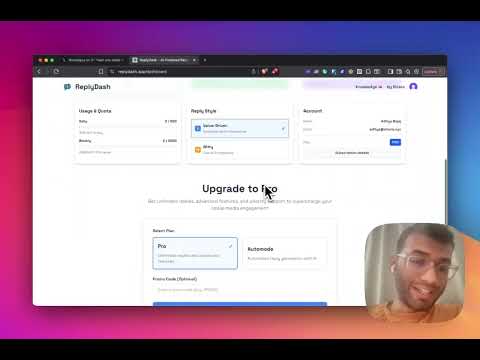
ReplyDash is a Chrome extension that helps you write replies on X (Twitter) and LinkedIn without spending time thinking about what to say. It generates context-aware replies directly inside the platform, so you can stay active and visible without breaking focus. How It Works: 1. Open X LinkedIn or Reddit 2, Click on a post or comment thread 3. Click on ReplyDash icon 4. Review the suggested reply 5. Edit if needed and post No copy-pasting. No tab switching. Why People Use ReplyDash: Save time on daily engagement Stay consistent in replies Avoid generic comments Reduce thinking friction Who It’s For: Founders, creators, marketers, and professionals who already engage on X or LinkedIn. Permissions Explanation: ReplyDash reads visible page content on X and LinkedIn to understand context and insert replies where the user chooses to post. ReplyDash does not read private messages, post without intent, or sell user data.
5 out of 58 ratings
Details
- Version3.1.0
- UpdatedSeptember 21, 2026
- FeaturesOffers in-app purchases
- Size87.11KiB
- LanguagesEnglish
- Developer
- Non-traderThis developer has not identified itself as a trader. For consumers in the European Union, please note that consumer rights do not apply to contracts between you and this developer.
Privacy

ReplyDash has disclosed the following information regarding the collection and usage of your data. More detailed information can be found in the developer's privacy policy.
ReplyDash handles the following:
This developer declares that your data is
- Not being sold to third parties, outside of the approved use cases
- Not being used or transferred for purposes that are unrelated to the item's core functionality
- Not being used or transferred to determine creditworthiness or for lending purposes