

Repeat Playlist Player

Overview
Play YouTube videos in your own order, with per-video repeats, speed and start/end times, on youtube.com.
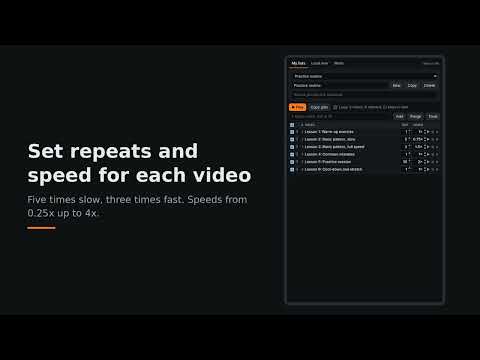
Build your own playback order from YouTube videos. Load a public playlist or pick playlists from a channel, tick the videos you want, drag them into order, and set how many times each one repeats and at what speed (0.25x to 4x). Optional start and end times play only part of a video. Playback happens on youtube.com in your own browser, using YouTube's own player and your own account. Features such as Premium speeds and ad-free playback apply exactly as they normally do. A small bar on the YouTube page shows progress and has previous, pause, next and stop buttons. - Several saved lists, each with its own order, repeats, speeds, ranges and loop setting - Pick playlists from a channel and save them with their settings - Drag and drop reordering in a compact table - Lists sync between your devices through your browser's own sync - Backup and restore Not affiliated with or endorsed by YouTube or Google. The extension never hides, skips or alters ads.
0 out of 5No ratings
Details
- Version1.2.0
- UpdatedNovember 13, 2026
- Offered byHarish HM
- Size33.88KiB
- LanguagesEnglish
- Developer
Email
harish.hm@gmail.com - Non-traderThis developer has not identified itself as a trader. For consumers in the European Union, please note that consumer rights do not apply to contracts between you and this developer.
Privacy

This developer declares that your data is
- Not being sold to third parties, outside of the approved use cases
- Not being used or transferred for purposes that are unrelated to the item's core functionality
- Not being used or transferred to determine creditworthiness or for lending purposes