

Reel Rotate — Fullscreen, Rotate & Zoom for Instagram
1 rating
)
Overview
Fullscreen, rotate, zoom and pan reels — for landscape 16:9 videos that do not fit the vertical player.
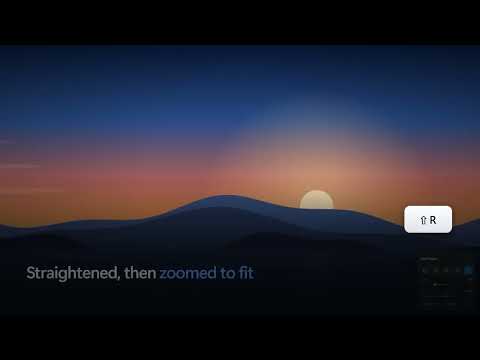
Some reels are shot in landscape. Instagram still plays them in a tall vertical player, so a 16:9 video ends up as a thin strip across the middle of your screen — or gets cropped so you only ever see the middle third of the picture. Worse, some creators upload landscape footage sideways, and there is no way to turn it the right way up. Reel Rotate adds the controls to fix that yourself, on the reel you are watching. WHAT IT DOES • True fullscreen — one click, or F, and the reel fills the whole screen with the browser chrome out of the way. The whole 16:9 frame is shown, not a cropped slice of it. • Rotate — 90° at a time, or anywhere between -180° and 180° on a slider. • Zoom to fit after rotating — straighten a sideways reel and it automatically scales up to fill the screen. The amount is worked out from your display and the video, so it is right on any monitor. • Zoom and pan — up to 6×, drag the video to move around it. Handy for reading small text. • Fit modes — show the whole frame, fill the screen and crop, or stretch. • Mirror — flip the picture horizontally. • It follows you — scroll to the next reel and the controls come with it. KEYBOARD F fullscreen on / off R rotate 90° right (Shift+R for left) + / - zoom in / out Alt+wheel zoom at the pointer drag pan the picture C cycle fit mode X mirror 0 reset everything Esc leave fullscreen Instagram's own shortcuts are untouched, and none of these fire while you are typing a comment or using search.
5 out of 51 rating
Details
- Version1.0.0
- UpdatedAugust 22, 2026
- Offered byJishnu
- Size26.38KiB
- LanguagesEnglish
- Developer
Email
jishnumm8606@gmail.com - Non-traderThis developer has not identified itself as a trader. For consumers in the European Union, please note that consumer rights do not apply to contracts between you and this developer.
Privacy

This developer declares that your data is
- Not being sold to third parties, outside of the approved use cases
- Not being used or transferred for purposes that are unrelated to the item's core functionality
- Not being used or transferred to determine creditworthiness or for lending purposes