


Overview
Check documents for plagiarism and AI-generated content without leaving your browser.
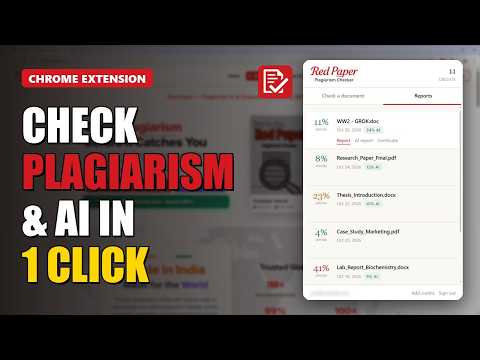
Red Paper checks your documents for plagiarism and AI-generated content right from your browser toolbar. Upload a PDF, Word document (DOC/DOCX), RTF or TXT file, see the exact cost before anything is charged, and start the scan using the credits in your Red Paper account. While the scan runs you can close the popup: the extension checks back in the background and notifies you as soon as the report is ready. WHAT YOU GET • Similarity score from our plagiarism-detection engine, compared against web pages, academic publications and journals • AI-content score showing how much of the text looks machine-generated • Downloadable PDF reports: the full similarity report, the AI report and a certificate • Your full report history, the same list you see under My Reports on the website • A desktop notification when a scan finishes HOW IT WORKS 1. Sign in with your Red Paper account (checkplagiarism.ai). 2. Choose a file. You see the price before you confirm. 3. Start the scan from your credits. 4. Download the reports when they are ready. Scans started from the extension appear on the website and in the mobile app as well, because it is the same account. You need a Red Paper account with credits. Credits are bought on the website at checkplagiarism.ai. The extension does not take payments itself. PRIVACY Documents are sent only to Red Paper's own servers over HTTPS and are handled under our privacy policy. We do not sell or reuse your content. The extension stores only your sign-in key and the IDs of scans in progress on your device, and both are removed when you sign out. Support: support@checkplagiarism.ai
0 out of 5No ratings
Details
- Version1.0.3
- UpdatedOctober 27, 2026
- FeaturesOffers in-app purchases
- Size177KiB
- LanguagesEnglish
- DeveloperAKINIK PUBLICATIONS PRIVATE LIMITEDWebsite
3, Ground Floor, Block-h, Pkt-34, Sector-3, Rohini, Naharpur New Delhi, Delhi 110085 INEmail
info@akinik.comPhone
+91 70489 22346 - TraderThis developer has identified itself as a trader per the definition from the European Union and committed to only offer products or services that comply with EU laws.
- D-U-N-S771721716
Privacy

Red Paper — Plagiarism & AI Checker has disclosed the following information regarding the collection and usage of your data. More detailed information can be found in the developer's privacy policy.
Red Paper — Plagiarism & AI Checker handles the following:
This developer declares that your data is
- Not being sold to third parties, outside of the approved use cases
- Not being used or transferred for purposes that are unrelated to the item's core functionality
- Not being used or transferred to determine creditworthiness or for lending purposes
Support
For help with questions, suggestions, or problems, visit the developer's support site