

Recorder Action
3 Bewertungen
)
Übersicht
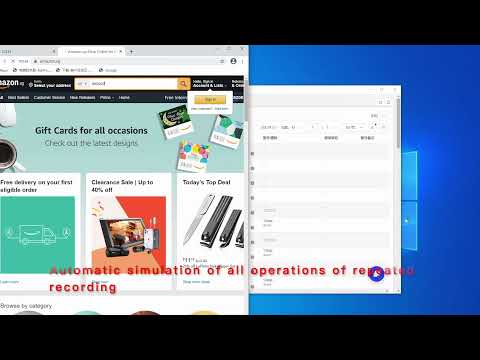
The operation on the operation webpage automatically generates AdsPower's RPA process
Operation recording is used for browser automation step recording. After starting, it will record clicks, input, page scrolling, and drop-down selections on the current page. The operation steps are as follows: 1. Click Recorder Now to start recording 2. The click, scroll, input, and jump of the operation page will be recorded as an RPA automation process 3. When the page jumps, you need to wait for the status WAIT to update to REC, and then re-operate to record 4. During the recording process, if some operations are not recorded, click Pause first, and then click Resume after the operation is complete 5. After the recording is complete, click Export and copy to the pasteboard 6. Process of RPA robot imported into AdsPower Operate on AdsPower: 1. Go back to the RPA robot process of AdsPower, create process -> import 2. Check the browser environment and select the RPA robot process just created 3. Here AdsPower will automatically open the browser, visit the website just recorded and repeat the operation just recorded
1,3 von 53 Bewertungen
Details
- Version0.0.2
- Aktualisiert2. Juli 2021
- Angeboten vonwonderful563
- Größe63.78KiB
- Sprachen2 Sprachen
- Entwickler
E-Mail
wonderful563@gmail.com - Kein HändlerDieser Entwickler hat sich nicht als Händler deklariert. Für Verbraucher in der Europäischen Union gelten die Verbraucherrechte nicht für Verträge, die zwischen dir und diesem Entwickler geschlossen werden.
Datenschutz

Dieser Entwickler erklärt, dass deine Daten
- nicht an Dritte verkauft werden, außer in den genehmigten Anwendungsfällen
- nicht für Zwecke genutzt oder übertragen werden, die nichts mit der Hauptfunktionalität des Artikels zu tun haben
- nicht zur Ermittlung der Kreditwürdigkeit oder für Darlehenszwecke verwendet oder übertragen werden
Support
Wenn du Hilfe bei Fragen, Vorschlägen oder Problemen benötigst, öffne diese Seite in deinem Desktop-Browser