

Record and Metadata Comparator for Salesforce
평점 40개
)
개요
Compare Record data values and object metadata in Salesforce
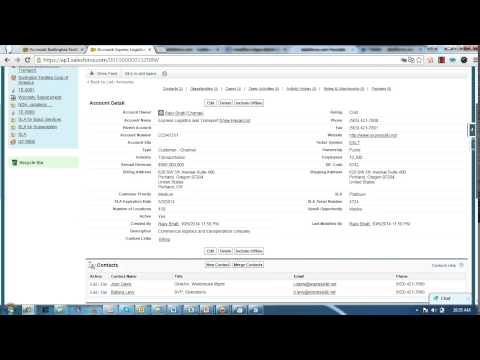
Compare Object Metadata and it's record values in Salesforce (now supports Lightning!) and see all differences in just four clicks! Credits: 1. sorenkrabbe for his extension "salesforce-inspector" available @ https://chrome.google.com/webstore/detail/salesforce-inspector/aodjmnfhjibkcdimpodiifdjnnncaafh I have used the code shared by him to improvise and develop this extension. I would share the code of this extension on github soon. 2. Maninder Singh for enabling the extension to work in Lightning -https://www.linkedin.com/in/mansinghinder/ This extension compares any two objects or its records (could be from same org or different orgs) and highlights all the differences found. It can show you the following - Which fields are missing in target org. - Which fields are missing in source org - which fields have metadata difference (change in formula, datatype , required etc.) - which fields have data value mismatch Please watch the video tutorial available @ http://youtu.be/mkarbbYWveY to understand the exact functionality and its uses. Steps to compare Object Metadata: 1. Open up the custom object definition or it's list view or any of it's record in salesforce. This is your source record. Click on the extension icon and then click on the "Select Source Record" button. 2. After that, open up the custom definition of the same object or it's list view or the record (could be from same org or different org). This is your target record. Click on the extension icon and then click on the "Select Target record" button. 3. The extension would create a popup and in that show you all the differences that were found. Steps to compare Record Values: 1. open any record from a standard/custom object in one org. This is your source record. Click on the extension icon and then click on the "Select Source Record" button. 2. After that, open up any other record for the same object (could be from same org or different org). This is your target record. Click on the extension icon and then click on the "Select Target record" button. 3. The extension would create a popup and in that show you all the differences that were found. Do recommend the extension with you friends and colleagues if you like it. Also, if you like the extension, please don't forget to Rate it on the Chrome Extension Webstore. Feedback/Suggestions/Ideas/Comments most welcome. Thanks again and I hope this extension saves your time and makes you more productive! For any queries: rajivashokbhatt+metadatacomparator@gmail.com
5점 만점에 4.7점평점 40개
세부정보
- 버전0.0.0.10
- 업데이트됨2025년 6월 11일
- 제공Rajiv Bhatt
- 크기84.64KiB
- 언어English
- 개발자
이메일
rajiv.ashok.bhatt@gmail.com - 비판매자판매자로 식별되지 않은 개발자입니다. 유럽 연합에 거주하는 소비자의 경우, 이 개발자와 체결한 계약에 대해서는 소비자 권리가 적용되지 않을 수 있음을 유의해야 합니다.
개인정보 보호

개발자가 사용자 데이터에 관해 다음과 같이 선언했습니다
- 승인된 사용 사례를 제외하고 서드 파티에 판매하지 않음
- 항목의 핵심 기능과 관련 없는 목적으로 사용하거나 전송하지 않음
- 신용도 판단 또는 대출 목적으로 사용하거나 전송하지 않음
지원
질문, 제안 또는 문제와 관련하여 도움이 필요하면 데스크톱 브라우저에서 이 페이지를 여세요.