


Overview
Profile insights, replies, connection notes, and post drafting for LinkedIn. User-triggered only. No auto-send or automation.
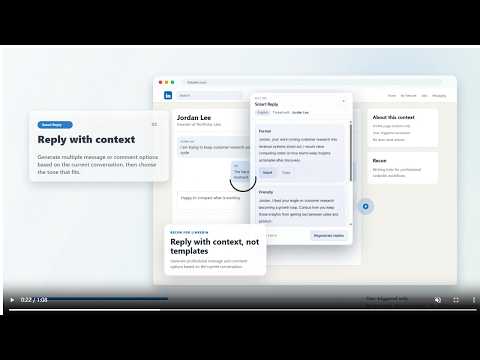
Write smarter on LinkedIn with Recon by LunacyDev. Recon is a user-triggered writing assistant for LinkedIn. It helps you understand visible profile context, draft context-aware message and comment replies, write concise connection notes, and improve post drafts without turning your workflow into automation. What Recon does: - Profile Insight: summarize visible profile context and suggest outreach angles - Smart Reply and Comment Reply: generate message and comment options for review - Connection Note: draft concise invitation notes from visible profile context - Post Composer: brainstorm, structure, and polish LinkedIn post drafts What Recon does not do: - No auto-send - No auto-connect - No auto-comment - No auto-post - No background bulk actions Recon is designed for sales outreach, job networking, and professional content creation. You stay in control of every final message. Recon is not affiliated with, endorsed by, or sponsored by LinkedIn.
0 out of 5No ratings
Details
- Version1.1.0
- UpdatedJune 3, 2026
- FeaturesOffers in-app purchases
- Size641KiB
- Languages9 languages
- DeveloperWebsite
Email
support@lunacydev.com - Non-traderThis developer has not identified itself as a trader. For consumers in the European Union, please note that consumer rights do not apply to contracts between you and this developer.
Privacy

Recon - LinkedIn AI Writing Assistant has disclosed the following information regarding the collection and usage of your data. More detailed information can be found in the developer's privacy policy.
Recon - LinkedIn AI Writing Assistant handles the following:
This developer declares that your data is
- Not being sold to third parties, outside of the approved use cases
- Not being used or transferred for purposes that are unrelated to the item's core functionality
- Not being used or transferred to determine creditworthiness or for lending purposes
Support
For help with questions, suggestions, or problems, please open this page on your desktop browser