


Overview
Turn a messy email signature into a downloadable contact card (.vcf). Paste or select text, review fields, and save.
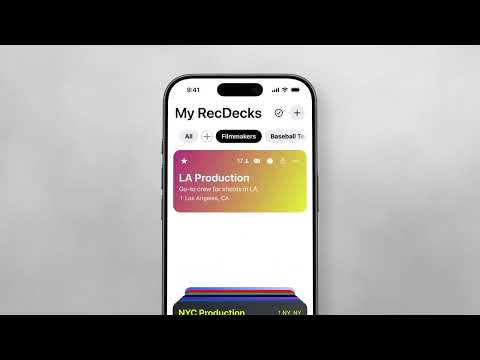
RecDeck Signature Assist turns a messy email signature into a clean contact card you can save or share. How it works 1. Paste a signature into the extension — or select text on any page and choose “Make a contact with RecDeck.” 2. Review name, title, company, email, phone, website, and address. 3. Download a .vcf contact card, or copy the vCard to your clipboard. We strip the usual noise — “Sent from my iPhone,” confidentiality footers, social links — and tidy ALL-CAPS names so the card looks ready to save. Everything runs on your device. No account required. No cloud upload of signature text. Want curated lists and Quick Send? Get the RecDeck app on the App Store or Google Play — so when someone asks “who do you know?” you can be the person with the answer. https://setsynccentral.com/recdeck https://apps.apple.com/app/id6774745796 https://play.google.com/store/apps/details?id=com.setsynccentral.recdeck Keywords: email signature parser, make a contact from signature, vCard from email, contact card from signature, parse signature to contact.
0 out of 5No ratings
Details
- Version1.0.1
- UpdatedJuly 31, 2026
- Size312KiB
- LanguagesEnglish (United States)
- DeveloperVANDELAY SOUND EXPORTS INC.Website
2043 Empire Central Dallas, TX 75235-4303 USEmail
support@setsynccentral.comPhone
+1 469-290-2043 - TraderThis developer has identified itself as a trader per the definition from the European Union and committed to only offer products or services that comply with EU laws.
- D-U-N-S073556210
Privacy

This developer declares that your data is
- Not being sold to third parties, outside of the approved use cases
- Not being used or transferred for purposes that are unrelated to the item's core functionality
- Not being used or transferred to determine creditworthiness or for lending purposes
Support
For help with questions, suggestions, or problems, please open this page on your desktop browser