


Overview
Extended AI audio descriptions for YouTube video. Meet ADA, WCAG, EAA, and Section 508. Export as SRT or WebVTT.
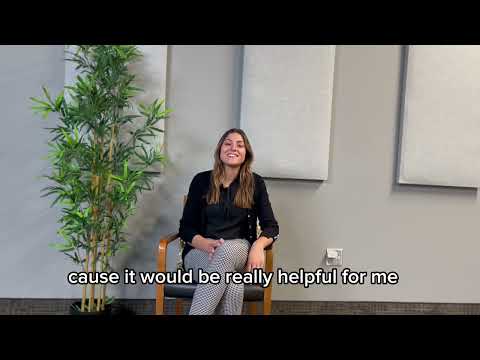
Recap Audio Describer generates automated extended audio descriptions for web video, entirely in your browser. No servers, no uploads, no data leaves your device. Built for accessibility teams, instructional designers, government agencies, and anyone who needs to make video content accessible to people who are blind or have low vision. Please note that this extension is currently in a beta/early proof-of-concept stage; the enterprise application at voicerecap.ai is much more battle-tested and proven. HOW IT WORKS 1. Navigate to any web page with a video. 2. Click the Recap Audio Describer icon in your browser extension toolbar. 3. The extension scans the page and lists every video it finds. Click "Describe" next to the one you want. 4. The video plays while AI analyzes each scene in the background. Descriptions appear in a side panel as they are generated, each with a thumbnail and timestamp. 5. Descriptions are generated in three verbosity formats; short, medium, and long. 5. When all descriptions are ready, click "Play all" to replay the video with spoken descriptions inserted at each cue point. The video pauses briefly while each description is read aloud, then resumes automatically. 6. Export your completed descriptions as SRT, WebVTT, plain text, or print a formatted transcript with thumbnails and timestamps. COMPLETELY PRIVATE, ON-DEVICE AI All AI processing happens locally on your computer using your browser's built-in AI model. Video frames are captured and analyzed without ever leaving your device. No cloud APIs, no third-party AI services, no video data transmitted anywhere. Your content stays yours. Subscription billing processed via Stripe. If audio description tracks are exported (not required), in order to facilitate notification when finalized, described track data may be sent through our email infrastructure. EXTENDED AUDIO DESCRIPTIONS (AD) Unlike inline standard audio descriptions that must fit between dialogue, Recap Audio Describer produces extended descriptions. The video pauses at each cue point to allow the full description to be read before resuming playback. This provides richer, more detailed scene information for viewers who are blind or have low vision, following the extended audio description methodology recommended by accessibility standards. ACCESSIBILITY COMPLIANCE Audio descriptions are a legal requirement under multiple accessibility frameworks. Recap Audio Describer helps your organization meet compliance for video content across: - Americans with Disabilities Act (ADA) - Section 508 of the Rehabilitation Act - Web Content Accessibility Guidelines (WCAG) 2.1 AA (Success Criterion 1.2.5 and 1.2.7) - Accessibility for Ontarians with Disabilities Act (AODA) - European Accessibility Act (EAA / EN 301 549) - Communications and Video Accessibility Act (CVAA) Whether you are a state agency publishing public meeting recordings, a city council with planning commission meetings, a university posting lecture videos, or a media company distributing content online, audio descriptions are increasingly expected or required. Recap Audio Describer lets you generate them automatically. VERBOSITY CONTROL Choose from three description lengths to match your content and audience: - Short: One concise sentence per scene. Best for fast-paced content or quick drafts. - Medium: One to two sentences with additional context. The default setting and a good balance for most videos. - Long: Two to three detailed sentences describing visual elements, actions, and setting. Best for instructional or narrative content where detail matters. All three verbosity levels are generated simultaneously for each scene, so you can switch between them instantly without re-processing. VOICE SELECTION Pick the voice that works best for your audience. The extension lists every text-to-speech voice available in your browser, with standard and basic voice groups clearly labeled. Preview any voice before committing. The selected voice is saved and remembered across sessions. A wider range of premium voices and dialects that are much richer, and more natural/human-sounding are available to our enterprise clients through voicerecap.ai. EXPORT AND SHARING Once descriptions are generated, export them in the format your workflow requires: - SRT: Industry-standard subtitle format compatible with most video players, editors, and media platforms. - WebVTT: Web-native subtitle format with metadata indicating AI generation date and source. Ready for use with HTML5 video players. - Plain text (TXT): Timestamped transcript with generation details. Useful for documentation, review, or archival. - Print: Formatted printable document with video thumbnails at each cue point, timestamps, and Recap Innovations branding. Ideal for review packets, compliance documentation, or stakeholder sign-off. Export filenames automatically include the video title and a clear identifier so you can organize your described content. KEYBOARD SHORTCUT Press Alt+D on any page with a video to instantly start describing. The side panel opens alongside the page so you can continue browsing while descriptions are generated. DESCRIPTION MANAGEMENT Every generated description appears in a scrollable history panel with: - A thumbnail snapshot of the video at that moment - The timestamp in the video - The full description text - A button to replay the spoken description - A button to seek the video to that point - Options to regenerate or delete individual descriptions Descriptions persist across verbosity changes. If you switch from medium to short and back, your original descriptions are still there. SYNC PLAYBACK Click "Play all" to replay the video synchronized with your generated descriptions. The video plays naturally between cue points, pauses while each description is spoken aloud with audio ducking (the video volume lowers so the description is clearly audible), then resumes automatically. A completion chime sounds when all descriptions have been created.. CONTENT SAFETY Recap Audio Describer skip descriptions of explicit content. Descriptions focus on actions, settings, objects, and relevant visual information. WORKS ON ANY U.S. WEBSITE Recap Audio Describer works with videos on any website that has a video tag component, including government video portals, news sites, social media, and any page with a standard HTML5 video element. If a page contains multiple videos, the extension lists them all and lets you choose which one to describe. FREE TIER Your first 30 minutes of audio description are free, with no account required. This is enough to describe several short videos or one longer recording. SUBSCRIPTION PLANS For teams and organizations that need more capacity: - Starter: 5 hours per month of audio description processing. Costs less than 2 movie tickets a month. - Professional: 15 hours per month of audio description processing Both plans are available with monthly or annual billing (annual plans include a 15% discount). Subscribe directly from within the extension. Your license key activates instantly and increases your session limit. Manage your subscription, update your payment method, or switch plans at any time through the built-in settings panel. ENTERPRISE For organizations that need volume licensing above 15 hours a month, or need premium human-quality voices, integrations, or dedicated support, visit voicerecap.ai to schedule a demo with our team. Recap Innovations provides a full accessible video platform for use by universities, school districts, government agencies, and media organizations across North America. WHO IS THIS FOR? - Accessibility coordinators making institutional video libraries compliant - Instructional designers adding audio descriptions to course videos - Government agencies (cities, counties) publishing accessible public meeting recordings such as board meetings, town halls, and planning commission meetings. - Content creators who want to reach a wider audience - Compliance officers documenting accessibility efforts - Students and educators working with video-based learning materials - Anyone who wants to understand what is happening visually in a web video ABOUT RECAP INNOVATIONS Recap Innovations builds accessible video technology for education, government, and enterprise. Our platform provides AI-powered live captioning, captions, transcripts, translations, and audio descriptions integrated with leading LMS and video platforms. Learn more at voicerecap.ai. SUPPORT Questions, feedback, or issues? Contact us through voicerecap.ai or email support at our website.
0 out of 5No ratings
Details
- Version1.0.13
- UpdatedAugust 23, 2026
- FeaturesOffers in-app purchases
- Size125KiB
- LanguagesEnglish (United States)
- DeveloperGriffinScribe, LLCWebsite
888 Wymount Ter Provo, UT 84604 USEmail
sales@recap-innovations.comPhone
+1 678-439-1397 - TraderThis developer has identified itself as a trader per the definition from the European Union and committed to only offer products or services that comply with EU laws.
- D-U-N-S096402780
Privacy

Recap Audio Describer has disclosed the following information regarding the collection and usage of your data. More detailed information can be found in the developer's privacy policy.
Recap Audio Describer handles the following:
This developer declares that your data is
- Not being sold to third parties, outside of the approved use cases
- Not being used or transferred for purposes that are unrelated to the item's core functionality
- Not being used or transferred to determine creditworthiness or for lending purposes
Support
For help with questions, suggestions, or problems, visit the developer's support site