

Recall — Claude Context & Quota Tracker
2 ratings
)
Overview
Real-time context & quota monitor for Claude.ai. See usage live and get smart alerts before your replies are cut off.
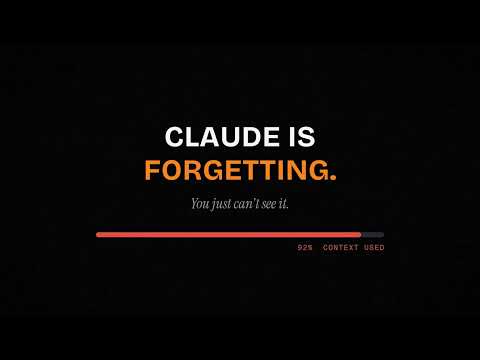
**Know exactly where you stand in every Claude conversation.** Recall is a lightweight overlay that sits inside Claude.ai and tells you — in real time — how much of your context window and quota you've used, before you hit a wall. --- ### What Recall shows you **Context window (the one that matters most)** A live progress bar showing how full the current conversation is, updated after every message. When you get close to the limit, Recall tells you — not Claude's error message. **5-hour quota and weekly quota** Two additional bars tracking Claude's rolling usage windows. You see the percentage used and a countdown to when it refills, without having to open Settings → Usage. **Token source breakdown** Click the context bar to see exactly where your tokens are going: conversation history, uploaded files, project knowledge, enabled tools (web search, code execution, MCP connectors), and the system prompt. Useful for figuring out what to trim when you're running low. **Per-message token badges** A small badge under each of your messages shows its estimated token cost. If later messages are substantially heavier than your first, Recall flags the trend so you can spot when a conversation is compounding. **Live streaming indicator** While Claude is generating a response, a status bar above the composer shows input tokens committed and output tokens streamed so far — so you always know the cost of the current turn before it finishes. **Attachment cost reminder** If you have files uploaded, Recall shows a badge with their token cost and what percentage of your context they're consuming. Attachments are re-billed every turn; Recall makes that visible. --- ### Smart alerts **Truncation warning** When your draft message plus the predicted response would likely exceed what's left in the context window, Recall flags it before you send — not after the reply gets cut off mid-sentence. **Context 90% banner** At 90% context usage, a banner appears directly in the chat with a one-click option to summarize and continue in a fresh conversation. **Proactive nudge card** When a conversation grows long enough that starting fresh would meaningfully save quota, Recall surfaces a card inside the overlay — with a clear explanation of why, not just a number. **Limit refill notification** *(optional)* If you enable it, Recall can notify you the moment your 5-hour usage window refills, so you don't have to keep checking. --- ### Summarize & continue When a conversation is getting long, Recall can help you carry it forward without losing context. The guided flow: 1. Generates a summary of the conversation inside Claude 2. Copies it to your clipboard 3. Opens a new chat, ready for you to paste You stay in control at every step — nothing is sent or navigated automatically without your confirmation. --- ### Rate limit layer panel Claude has multiple independent rate limits: requests per minute (RPM), tokens per minute (TPM), the 5-hour quota, and the weekly quota. A 429 error can come from any of them, not just the quota bar. Recall's popup shows all four layers with their current status, so you know which one you're actually hitting. --- ### Anthropic service status Recall polls the official Anthropic status page every 5 minutes and surfaces any active incidents directly in the popup — so when Claude seems slow or broken, you can check whether it's your quota or their infrastructure. --- ### Usage history The popup shows token counts for the current conversation (turns, input tokens, output tokens) and a cross-session summary so you can see how your usage adds up over time. Export the current chat as Markdown at any time. --- ### Designed to stay out of your way - **Draggable overlay** — position it anywhere on screen, or collapse it to a small pill that shows only the context percentage - **Dark mode** — follows your system preference, or lock it to light or dark - **9 languages** — English, Chinese, French, German, Spanish, Italian, Portuguese, Japanese, Korean - **All data stays on your device** — Recall reads Claude's usage data from your own browser session; nothing is sent to any external server --- ### Permissions used - **Storage** — saves your settings and usage history locally - **Alarms** — refreshes quota data on a 2-minute cycle in the background - **Scripting / Tabs** — reads Claude's usage page from your existing browser session (same as visiting it yourself) - **Notifications** *(optional, off by default)* — only requested if you enable the limit-refill alert --- ### Who this is for Recall is most useful if you: - Use Claude regularly for long conversations, research, or coding sessions - Have ever had a reply get cut off and not understood why - Want to make smarter decisions about when to start a new chat - Are on a paid plan and want to understand where your quota actually goes It works with Free, Pro, Max, Team, and Enterprise accounts on claude.ai. --- *All token counts are estimates derived from the visible conversation. Quota percentages are fetched directly from Claude's usage page using your existing session — the same numbers you'd see if you opened Settings → Usage yourself.* --- ## Changelog / What's New (v2.2.4) - Added support for 9 languages: French, German, Spanish, Italian, Portuguese, Japanese, and Korean — in addition to English and Chinese - Language switching now takes effect immediately without a page refresh - Fixed layout truncation when using longer-text languages (German, French, etc.) - Popup action buttons now wrap text instead of cutting it off - Collapsed pill overlay: expand button now anchored to the far right - Translated all UI strings including Context bar label, Dark mode toggle, Rate limit layer panel, and the "this chat" footer - Minor stability fixes for the overlay render cycle
5 out of 52 ratings
Details
- Version2.13.1
- UpdatedJuly 9, 2026
- Offered byCyberHog
- Size202KiB
- Languages9 languages
- Developer
Email
recall.feedback@gmail.com - Non-traderThis developer has not identified itself as a trader. For consumers in the European Union, please note that consumer rights do not apply to contracts between you and this developer.
Privacy

Recall — Claude Context & Quota Tracker has disclosed the following information regarding the collection and usage of your data. More detailed information can be found in the developer's privacy policy.
Recall — Claude Context & Quota Tracker handles the following:
This developer declares that your data is
- Not being sold to third parties, outside of the approved use cases
- Not being used or transferred for purposes that are unrelated to the item's core functionality
- Not being used or transferred to determine creditworthiness or for lending purposes