

Reading Time Calculator By Ofi Khan
2 ratings
)
Overview
Calculate reading time, word count, character count, and sentences from web pages or text input
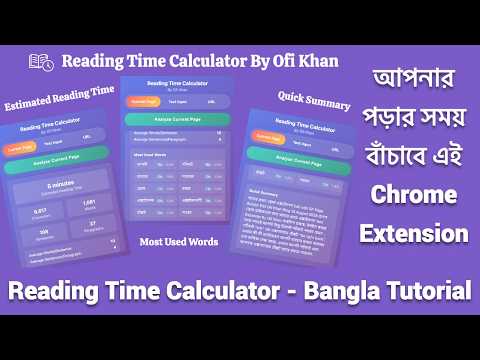
A Chrome extension that calculates reading time, character count, word count, sentence count, and paragraph count from web pages or text input. It also provides a quick summary of the content. Features - ✅ Current Page Analysis: Analyze the content of the currently active web page - ✅ Text Input Analysis: Paste any text and get instant statistics - ✅ URL Analysis: Enter any URL to analyze its content - ✅ Context Menu Support: - Right-click any page → Open Reading Time Calculator → instantly analyzes the page - Select any text → Open Reading Time Calculator → analyzes only the selected text in the *Text Input tab - ✅ Comprehensive Statistics: - Character count - Word count - Sentence count - Paragraph count - Average words per sentence - Average sentences per paragraph - Estimated reading time (based on 250 words/minute) - ✅ Most Used Words: Displays a frequency table of the most common words from the analyzed text - ✅ Quick Summary: Automatically generated summary of the content - ✅ Beautiful UI: Modern gradient design with smooth animations Usage Analyzing Current Page 1. Navigate to any webpage you want to analyze 2. Click the extension icon in your browser toolbar 3. Click "Analyze Current Page" button 4. View the results including reading time, statistics, and summary Analyzing Custom Text 1. Click the extension icon 2. Switch to "Text Input" tab 3. Paste your text in the text area 4. Click "Analyze Text" button 5. View the comprehensive analysis Analyzing Any URL 1. Click the extension icon 2. Switch to "URL" tab 3. Enter the URL you want to analyze 4. Click "Analyze URL" button 5. The extension will fetch and analyze the content Using Context Menu 1. Right-click anywhere on a webpage - Select Open Reading Time Calculator → extension opens with full page analysis 2. Select some text, right-click - Select Open Reading Time Calculator → extension opens in Text Input tab with analysis of selected text Common Issues 1. No readable content found - Some pages may have complex layouts or be heavily JavaScript-dependent - Try refreshing the page and analyzing again - Consider using the "Text Input" method instead 2. Analysis takes too long - Large pages may take a few seconds to analyze - Complex sites with lots of JavaScript may require more time - Consider using the URL method for better reliability Supported Websites The extension works best with: - Blog posts and articles - News websites - Documentation sites - Static content pages May have limited functionality on: - Single-page applications (SPAs) - Heavily JavaScript-dependent sites - Sites that load content dynamically Developer Created by [Ofi Khan](https://www.ofikhan.com) License This project is open-source and available under the [MIT License](LICENSE).
5 out of 52 ratings
Details
- Version1.0
- UpdatedFebruary 24, 2026
- Offered byofikhan
- Size1.18MiB
- LanguagesEnglish (United Kingdom)
- Developer
Email
ofi.khan051@gmail.com - Non-traderThis developer has not identified itself as a trader. For consumers in the European Union, please note that consumer rights do not apply to contracts between you and this developer.
Privacy

Reading Time Calculator By Ofi Khan has disclosed the following information regarding the collection and usage of your data. More detailed information can be found in the developer's privacy policy.
Reading Time Calculator By Ofi Khan handles the following:
This developer declares that your data is
- Not being sold to third parties, outside of the approved use cases
- Not being used or transferred for purposes that are unrelated to the item's core functionality
- Not being used or transferred to determine creditworthiness or for lending purposes