

Reader View – Instantly remove ads & distractions

Overview
Distraction-free reader view that removes ads and clutter from any webpage.
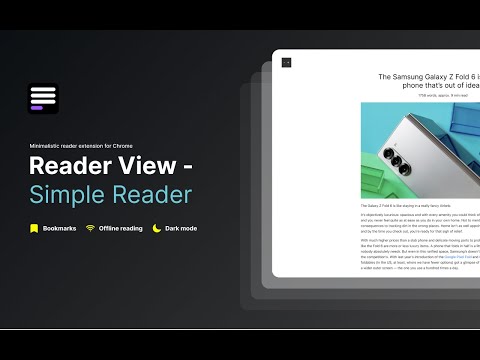
Reader View instantly transforms any webpage into a clean, distraction-free reading experience — so you can focus on the content that matters. One click. No ads. No clutter. Just reading. ✅ Remove ads, popups, and sidebars ✅ Read long articles without distractions ✅ Works on news, blogs, and research sites ✅ Light & dark reading modes ✅ Fast, private, and lightweight Advanced features: 📖 Reader Mode – clean, distraction-free layout for any article 💻 Offline Reader View – access saved articles without internet 🔊 Read Aloud (TTS) – listen to articles with natural-sounding voices 🌙 Dark Mode – comfortable reading day and night 📚 Read Later – save articles and read them anytime 🗂️ Export Articles – save cleaned content to Markdown, TXT, or PDF 🎨 Reader Layout Settings – customize font, size, and width Turn any web article into a clean, readable format — no ads, sidebars, or visual noise. Bookmark articles to catch up anytime, read it later. Access saved pages even when you’re not connected. Reader View - natural reader extension for Chrome. Listen to articles with natural-sounding voices. Read aloud supports multiple languages for text to speech: 🇺🇸 English | 🇬🇧 English | 🇩🇪 Deutsch | 🇪🇸 Español | 🇫🇷 Français | 🇮🇳 हिंदी | 🇮🇩 Bahasa | 🇮🇹 Italiano | 🇯🇵 日本語 | 🇰🇷 한국어 | 🇳🇱 Nederlands | 🇵🇱 Polski | 🇧🇷 Português | 🇷🇺 Русский | 🇨🇳 中文 Why to use Chrome Reader View: - Print clean, formatted articles. - Ads-free reading. - Our ML model ensures only the main content is displayed, removing clutter. Unlike other “reader modes,” Reader View uses smart content detection to show only the article—no menus, footers, or ads. It’s fast, lightweight, and works great offline too. 🎹 Use hotkeys to open read view: Windows: “Shift + Alt + S” MacOS: “Shift + Command + S” And “Esc” to close Reader. Natural Reader Chrome extension offers both light and dark mode color schemes designed for eye comfort. It not only adjusts colors but also changes background and font colors to the best combinations. Dark reader chrome extension reduces strain on your eyes, making reading more comfortable, even on the most ad-heavy websites. It also removes all irrelevant content to enhance your reading experience. 💡 Chrome reader mode is perfect for: – Students researching online. – Professionals staying up-to-date in their field. – News enthusiasts who want a cleaner reading experience. – Anyone who loves to read but hates online distractions. 🔒 Privacy Focused: We respect your privacy. Reader View works locally in your browser and doesn't collect any personal data. 🆕 Regular Updates: We're constantly improving! Expect new features and optimizations regularly based on user feedback. 📥 How to get reader view in Chrome: Click "Add to Chrome" to add Reader View extension to Chrome. 📥 How to turn on reader mode in Chrome: Open any webpage. Click the Reader view icon. Enjoy distraction-free reading! Reader View - your personal reading assistant! 🚀📚 ------------------------------------ What's New: [1.3.4] - 2026-01-15 - Increased maximum font size from 32px to 72px for better accessibility - Implemented adaptive heading scaling to maintain visual hierarchy at larger font sizes - Improved typography consistency across different scale levels 1.3.1 - 2025-12-17 - Export articles to Markdown, TXT and PDF. - New layout for quotes, lists, bullet points, code snippets and math formulas. - Fixed content cleaning to preserve list structures and inline formatting - Resolved issue where reader mode wouldn't reopen after being closed
4.3 out of 524 ratings
Details
- Version1.3.4
- UpdatedJanuary 18, 2026
- Size106KiB
- Languages41 languages
- Developer
- TraderThis developer has identified itself as a trader per the definition from the European Union and committed to only offer products or services that comply with EU laws.
- D-U-N-S232633781
Privacy
Reader View – Instantly remove ads & distractions has disclosed the following information regarding the collection and usage of your data. More detailed information can be found in the developer's privacy policy.
Reader View – Instantly remove ads & distractions handles the following:
This developer declares that your data is
- Not being sold to third parties, outside of the approved use cases
- Not being used or transferred for purposes that are unrelated to the item's core functionality
- Not being used or transferred to determine creditworthiness or for lending purposes
Support
For help with questions, suggestions, or problems, please open this page on your desktop browser