

Read English — Learn through reading

Overview
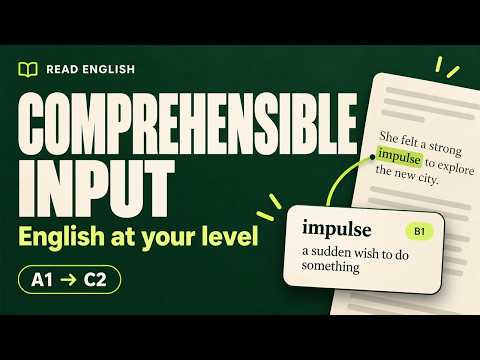
Explain selected English words and phrases in clear English at your reading level (A1–C2).
Learn English while reading the webpages you already enjoy. Read English explains unfamiliar English words, phrases, and sentences in clear English suited to your selected reading level. Highlight some text, click Explain, and read its meaning and an example directly on the page. WHAT YOU CAN DO • Get English explanations and examples without switching to a translation app. • Choose a reading level from A1 to C2 using six built-in sample passages. The samples work offline without an API key. • Connect your own AI service using an API key and choose a text model. • Refresh available models and test your model connection before saving. • Drag the explanation card to a comfortable position. • Choose from eight interface languages. Reading samples and generated explanations remain in English. GET STARTED 1. Open Settings and choose a comfortable reading level. 2. Select a model provider, enter your API key, choose a text model, and save. You can also configure a compatible custom service. 3. On a regular webpage, highlight an English word, phrase, or sentence and click Explain. COST AND REQUIREMENTS Read English is free and open source. AI explanations require a configured model service, which may charge you separately. Model availability depends on your provider account. The built-in reading samples work offline without an API key. PRIVACY Settings and API keys are stored locally in your browser. When you request an explanation, your selected text and an explanation prompt are sent to the model service you choose. Your API key authenticates requests to that service. The extension does not send the entire webpage, its URL, or your browsing history for explanations. This version has no developer-operated analytics or data-collection backend. Reading levels are an informal self-assessment, not a formal CEFR test. AI-generated explanations may contain mistakes. Chrome restricts extensions on some pages, including its internal pages and the Chrome Web Store.
0 out of 5No ratings
Details
- Version0.1.0
- UpdatedOctober 9, 2026
- Size8.31MiB
- Languages9 languages
- Developer
Email
zzanderrrowland@gmail.com - Non-traderThis developer has not identified itself as a trader. For consumers in the European Union, please note that consumer rights do not apply to contracts between you and this developer.
Privacy

Read English — Learn through reading has disclosed the following information regarding the collection and usage of your data. More detailed information can be found in the developer's privacy policy.
Read English — Learn through reading handles the following:
This developer declares that your data is
- Not being sold to third parties, outside of the approved use cases
- Not being used or transferred for purposes that are unrelated to the item's core functionality
- Not being used or transferred to determine creditworthiness or for lending purposes
Support
For help with questions, suggestions, or problems, visit the developer's support site