“Read Aloud: 文本语音朗读助理”的产品徽标图片

Read Aloud: 文本语音朗读助理

http://lsdsoftware.com/
精选
4.1(

3589 个评分

)
扩展程序无障碍3,000,000 用户
产品视频缩略图
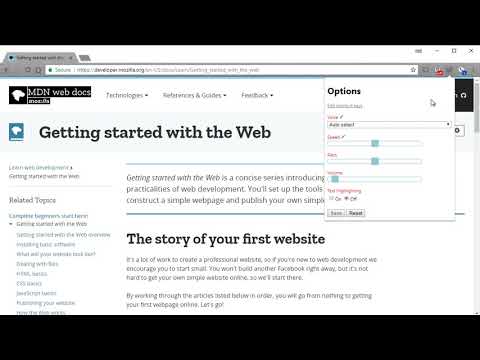
Read Aloud: 文本语音朗读助理的项目媒体 2(屏幕截图)

概述

轻轻点击,即可为您朗读页面上的文本。(现正支援超过 40 种以上语言)

Read Aloud 使用文本转语音 (TTS) 技术将网页文本转换为音频。它适用于各种网站,包括新闻网站、博客、同人小说、出版物、教科书、学校和课程材料。Read Aloud 帮助那些喜欢聆听内容而非阅读的用户,包括正在学习阅读的儿童以及患有阅读障碍或其他学习障碍的人士。 Read Aloud 允许您从各种文本转语音语音中进行选择,包括浏览器提供的原生语音以及来自 Google Wavenet、Amazon Polly、IBM Watson、Microsoft Azure 和 OpenAI 等云服务提供商的 AI 语音。基于云的语音可能需要额外应用内购买或自带 API 密钥才能启用。 Read Aloud 可以阅读 PDF、Google Docs、Google Play 电子书、Amazon Kindle 和 EPUB 格式(通过 epubread.com 提供的优秀 EPUBReader 扩展程序)。 要使用 Read Aloud,请导航到您想要朗读的网页,然后点击浏览器菜单上的“Read Aloud”图标。您也可以使用快捷键 ALT-P、ALT-O、ALT-逗号和 ALT-句号来激活扩展程序。如果选择了部分文本,Read Aloud 将只朗读所选文本。此外,您也可以右键单击所选文本,然后从上下文菜单中启动 Read Aloud。 要更改语音、朗读速度、音调或启用文本高亮,请通过扩展程序弹出窗口中的齿轮按钮进入“选项”页面(您需要停止播放才能看到齿轮按钮)。您也可以通过右键单击扩展程序图标,从上下文菜单中访问“选项”页面。 在扩展程序弹出窗口中,有一些按钮可以增大/减小弹出窗口的大小、字体大小以及切换暗黑模式。 Read Aloud 是一个开源项目。如果您希望贡献错误修复或翻译,请访问 GitHub 页面 https://github.com/ken107/read-aloud

4.1 星(5 星制)3589 个评分

详细了解结果和评价。

详情

  • 版本
    2.22.0
  • 上次更新日期
    2025年12月12日
  • 大小
    439KiB
  • 语言
    9 种语言
  • 开发者
    Business
    158 Magellan Ave San Jose, CA 95116 US
    网站
    邮箱
    support@lsdsoftware.com
  • 非交易者
    该开发者尚未将自己标识为交易者。欧盟地区消费者须知:消费者权利可能不适用于您与该开发者达成的合约。

隐私权

管理扩展程序并了解它们在组织中的使用情况

“Read Aloud: 文本语音朗读助理”已就收集和使用用户数据披露了以下信息。 如需了解详情,请查看开发者的privacy policy

Read Aloud: 文本语音朗读助理会处理以下数据:

个人身份信息
身份验证信息
网站内容

该开发者已声明,您的数据:

  • 不会因未获批准的用途出售给第三方
  • 不会为实现与产品核心功能无关的目的而使用或转移
  • 不会为确定信用度或放贷目的而使用或转移

支持

相关

Web Page Reader TTS Text To Speech

3.0

100% Free. No registration. No ads. No data sharing. Reads with no selection required. Highlights one sentence at a time.

@Voice Connector

3.5

Open the current article in @Voice Aloud Reader Android app, or add it to reading list.

TTS Reader

4.5

Read any webpage, PDF, or Google Doc aloud with one click. 400+ AI voices with real-time highlighting and reading time estimates.

Text to Speech (TTS)

3.2

A text to speech tool with natural sounding voices.

Speechify — Text to Speech

4.6

Read aloud any Google Doc, PDF, webpage, or book with text to speech (TTS). Natural sounding voices in 60+ languages & 1,000 voices.

Read Aloud: 文字转语音 (TTS, 朗读文本)

4.3

文字转语音 (TTS) 以自然语音朗读文本、PDF 和电子书。

NaturalReader - AI Text to Speech

4.2

Read aloud any text with realistic AI voices, compatible with webpages, kindle Ebooks, Google Docs, PDF, Emails, and more.

Talkie: text-to-speech (TTS)

3.6

Fast & easy text-to-speech. Read aloud from websites, PDF, email. Privacy-aware, open source code.

Text to Speech (TTS) Read Aloud Voice Reader by Audeus

3.8

Read aloud using text-to-speech (TTS) to convert webpages, PDF, emails, & text to audio. Text-to-speech extension with AI voices

Voice Out: 文字转语音

4.2

使用文本转语音功能,以自然的语音朗读任何网页、Google文档、PDF或书籍。

Text to Speech

3.4

Text to Speech Hewizo removes ads and reads articles in over 30+ languages using state of the art AI text to speech engine TTS

WebOutLoud - Text to Speech Web Reader

3.4

Listen to the web using text to speech. Perfect for dyslexia, low vision, students, researchers, kids, learning to read.

Web Page Reader TTS Text To Speech

3.0

100% Free. No registration. No ads. No data sharing. Reads with no selection required. Highlights one sentence at a time.

@Voice Connector

3.5

Open the current article in @Voice Aloud Reader Android app, or add it to reading list.

TTS Reader

4.5

Read any webpage, PDF, or Google Doc aloud with one click. 400+ AI voices with real-time highlighting and reading time estimates.

Text to Speech (TTS)

3.2

A text to speech tool with natural sounding voices.

Speechify — Text to Speech

4.6

Read aloud any Google Doc, PDF, webpage, or book with text to speech (TTS). Natural sounding voices in 60+ languages & 1,000 voices.

Read Aloud: 文字转语音 (TTS, 朗读文本)

4.3

文字转语音 (TTS) 以自然语音朗读文本、PDF 和电子书。

NaturalReader - AI Text to Speech

4.2

Read aloud any text with realistic AI voices, compatible with webpages, kindle Ebooks, Google Docs, PDF, Emails, and more.

Talkie: text-to-speech (TTS)

3.6

Fast & easy text-to-speech. Read aloud from websites, PDF, email. Privacy-aware, open source code.

Google 应用
