

Read Aloud: A Text to Speech Voice Reader

Преглед
Read aloud the current web-page article with one click, using text to speech (TTS). Supports 40+ languages.
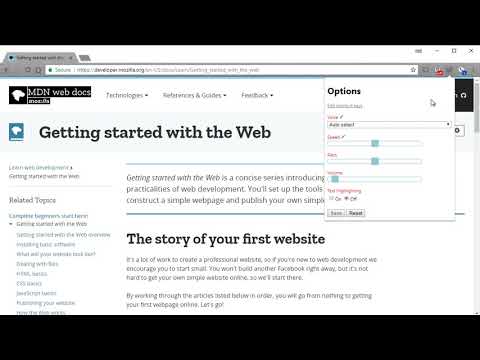
Read Aloud uses text-to-speech (TTS) technology to convert webpage text to audio. It works on a variety of websites, including news sites, blogs, fan fiction, publications, textbooks, school and course materials. Read Aloud helps users who prefer to listen to content instead of reading, including children learning to read and those with dyslexia or other learning disabilities. Read Aloud allows you to select from a variety of text-to-speech voices, including native voices provided by the browser and AI voices from cloud providers such as Google Wavenet, Amazon Polly, IBM Watson, Microsoft Azure, and OpenAI. Cloud-based voices may require additional in-app purchase or bringing your own API key to enable. Read Aloud can read PDF, Google Docs, Google Play books, Amazon Kindle, and EPUB (via the excellent EPUBReader extension from epubread.com). To use Read Aloud, navigate to the web page you want to read, then click the Read Aloud icon on the browser menu. You can also use the shortcut keys ALT-P, ALT-O, ALT-Comma, and ALT-Period to activate the extension. If some text is selected, Read Aloud will read only the selected text. Additionally, you can right click the text selection and start Read Aloud from the context menu. To change the voice, reading speed, pitch, or enable text highlighting, go to the Options page via the Gear button on the extension popup (you'll need to stop playback to see the Gear button). You can also access the Options page from the context menu by right clicking the extension icon. On the extension popup, there are buttons to increase/decrease the the size of the popup window, the font size, as well as toggle dark mode. Read Aloud is an open-source project. If you wish to contribute bug fixes or translations, please visit the GitHub page at https://github.com/ken107/read-aloud
4,1 од 53,5 хиљ. оцена
Детаљи
- Верзија2.22.0
- Ажурирано12. децембар 2025.
- Величина439KiB
- Језици9 језика
- Програмер
- Није трговацОвај програмер се није идентификовао као трговац. Потрошачи у Европској унији треба да имају на уму да се права потрошача не примењују на уговоре између њих и овог програмера.
Приватност

Read Aloud: A Text to Speech Voice Reader је открио следеће информације у вези са прикупљањем и коришћењем ваших података. Детаљније информације можете да пронађете у програмеровом документу privacy policy.
Read Aloud: A Text to Speech Voice Reader поступа са следећим:
Овај програмер изјављује да се ваши подаци
- не продају трећим странама, осим у оквиру одобрених случајева коришћења
- не користе и не преносе у сврхе које нису повезане са основном функцијом ставке
- не користе и не преносе ради утврђивања кредитне способности или давања зајма
Подршка
Ако вам треба помоћ у вези са питањима, предлозима или проблемима, отворите ову страницу у прегледачу за рачунаре