

Read Aloud: A Text to Speech Voice Reader

Prehľad
Read aloud the current web-page article with one click, using text to speech (TTS). Supports 40+ languages.
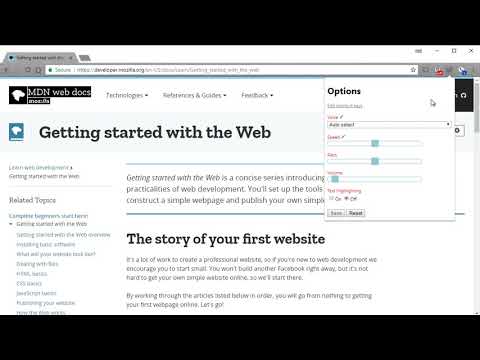
Read Aloud uses text-to-speech (TTS) technology to convert webpage text to audio. It works on a variety of websites, including news sites, blogs, fan fiction, publications, textbooks, school and course materials. Read Aloud helps users who prefer to listen to content instead of reading, including children learning to read and those with dyslexia or other learning disabilities. Read Aloud allows you to select from a variety of text-to-speech voices, including native voices provided by the browser and AI voices from cloud providers such as Google Wavenet, Amazon Polly, IBM Watson, Microsoft Azure, and OpenAI. Cloud-based voices may require additional in-app purchase or bringing your own API key to enable. Read Aloud can read PDF, Google Docs, Google Play books, Amazon Kindle, and EPUB (via the excellent EPUBReader extension from epubread.com). To use Read Aloud, navigate to the web page you want to read, then click the Read Aloud icon on the browser menu. You can also use the shortcut keys ALT-P, ALT-O, ALT-Comma, and ALT-Period to activate the extension. If some text is selected, Read Aloud will read only the selected text. Additionally, you can right click the text selection and start Read Aloud from the context menu. To change the voice, reading speed, pitch, or enable text highlighting, go to the Options page via the Gear button on the extension popup (you'll need to stop playback to see the Gear button). You can also access the Options page from the context menu by right clicking the extension icon. On the extension popup, there are buttons to increase/decrease the the size of the popup window, the font size, as well as toggle dark mode. Read Aloud is an open-source project. If you wish to contribute bug fixes or translations, please visit the GitHub page at https://github.com/ken107/read-aloud
4,1 z 53,5 tis. hodnotení
Podrobnosti
- Verzia2.22.0
- Aktualizované12. decembra 2025
- Veľkosť439KiB
- JazykyJazyky: 9
- Vývojár
- Neobchodný subjektTento vývojár sa neidentifikoval ako obchodník. Upozorňujeme, že práva spotrebiteľov v Európskej únii sa nevzťahujú na zmluvy uzavreté medzi vami a týmto vývojárom.
Ochrana súkromia

V súvislosti so zhromažďovaním a používaním vašich údajov zverejnil vývojár položky Read Aloud: A Text to Speech Voice Reader nasledujúce informácie. Podrobnejšie informácie nájdete v dokumente privacy policy príslušného vývojára.
Read Aloud: A Text to Speech Voice Reader spracúva:
Tento vývojár vyhlasuje, že vaše údaje:
- sa nepredávajú tretím stranám mimo schválených prípadov použitia,
- sa nepoužívajú ani neprevádzajú na účely, ktoré nesúvisia so základnou funkciou položky,
- sa nepoužívajú ani neprevádzajú na zisťovanie úverovej bonity ani na účely poskytovania úverov.
Podpora
Ak máte otázky, návrhy alebo problémy, otvorte túto stránku v prehliadači pre počítače