

Read Aloud: Tekst til tale-oplæser

Oversigt
Læs den aktuelle webside-artikel højt med et klik ved hjælp af tekst til tale. Understøtter mere end 40 sprog.
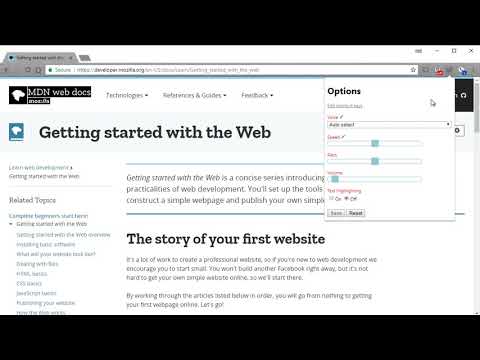
Read Aloud uses text-to-speech (TTS) technology to convert webpage text to audio. It works on a variety of websites, including news sites, blogs, fan fiction, publications, textbooks, school and course materials. Read Aloud helps users who prefer to listen to content instead of reading, including children learning to read and those with dyslexia or other learning disabilities. Read Aloud allows you to select from a variety of text-to-speech voices, including native voices provided by the browser and AI voices from cloud providers such as Google Wavenet, Amazon Polly, IBM Watson, Microsoft Azure, and OpenAI. Cloud-based voices may require additional in-app purchase or bringing your own API key to enable. Read Aloud can read PDF, Google Docs, Google Play books, Amazon Kindle, and EPUB (via the excellent EPUBReader extension from epubread.com). To use Read Aloud, navigate to the web page you want to read, then click the Read Aloud icon on the browser menu. You can also use the shortcut keys ALT-P, ALT-O, ALT-Comma, and ALT-Period to activate the extension. If some text is selected, Read Aloud will read only the selected text. Additionally, you can right click the text selection and start Read Aloud from the context menu. To change the voice, reading speed, pitch, or enable text highlighting, go to the Options page via the Gear button on the extension popup (you'll need to stop playback to see the Gear button). You can also access the Options page from the context menu by right clicking the extension icon. On the extension popup, there are buttons to increase/decrease the the size of the popup window, the font size, as well as toggle dark mode. Read Aloud is an open-source project. If you wish to contribute bug fixes or translations, please visit the GitHub page at https://github.com/ken107/read-aloud
4,1 ud af 53,6 t bedømmelser
Oplysninger
- Version2.24.0
- Opdateret10. juli 2026
- Størrelse475KiB
- Sprog25 sprog
- Udvikler
- Ikke forhandlerDenne udgiver har ikke angivet sig selv om forhandler. Hvis du er kunde i EU, skal du være opmærksom på, at forbrugerrettighederne ikke gælder for kontrakter, der indgås mellem dig og denne udgiver.
Privatliv

Read Aloud: Tekst til tale-oplæser har angivet følgende oplysninger vedrørende indsamlingen og brugen af dine data. Du kan få yderligere oplysninger i udviklerens privacy policy.
Read Aloud: Tekst til tale-oplæser håndterer følgende:
Denne udvikler bekræfter, at dine data:
- Ikke sælges til tredjeparter uden et godkendt anvendelsesformål
- Ikke anvendes eller overføres til formål, der ikke er relevante i forhold til elementets hovedformål
- Ikke anvendes eller overføres til at fastlægge kreditværdighed eller lånerelaterede formål
Support
Åbn denne side i browseren på computeren for at få hjælp, hvis du har spørgsmål, forslag eller problemer