

Read Aloud: Hlasová čtečka textu

Přehled
Přečtěte nahlas aktuální článek na webové stránce jedním kliknutím pomocí převodu textu na řeč. Podporuje více než 40 jazyků.
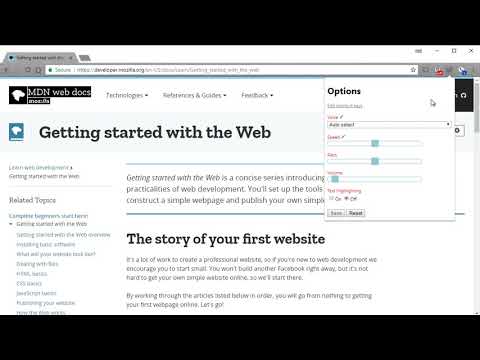
Read Aloud uses text-to-speech (TTS) technology to convert webpage text to audio. It works on a variety of websites, including news sites, blogs, fan fiction, publications, textbooks, school and course materials. Read Aloud helps users who prefer to listen to content instead of reading, including children learning to read and those with dyslexia or other learning disabilities. Read Aloud allows you to select from a variety of text-to-speech voices, including native voices provided by the browser and AI voices from cloud providers such as Google Wavenet, Amazon Polly, IBM Watson, Microsoft Azure, and OpenAI. Cloud-based voices may require additional in-app purchase or bringing your own API key to enable. Read Aloud can read PDF, Google Docs, Google Play books, Amazon Kindle, and EPUB (via the excellent EPUBReader extension from epubread.com). To use Read Aloud, navigate to the web page you want to read, then click the Read Aloud icon on the browser menu. You can also use the shortcut keys ALT-P, ALT-O, ALT-Comma, and ALT-Period to activate the extension. If some text is selected, Read Aloud will read only the selected text. Additionally, you can right click the text selection and start Read Aloud from the context menu. To change the voice, reading speed, pitch, or enable text highlighting, go to the Options page via the Gear button on the extension popup (you'll need to stop playback to see the Gear button). You can also access the Options page from the context menu by right clicking the extension icon. On the extension popup, there are buttons to increase/decrease the the size of the popup window, the font size, as well as toggle dark mode. Read Aloud is an open-source project. If you wish to contribute bug fixes or translations, please visit the GitHub page at https://github.com/ken107/read-aloud
4,1 z 53,6 tis. hodnocení
Podrobnosti
- Verze2.24.0
- Aktualizováno10. července 2026
- Velikost475KiB
- JazykyJazyky: 25
- Vývojář
- Neobchodnický subjektTento vývojář se neidentifikoval jako obchodník. Spotřebitele v Evropské unii upozorňujeme, že se na smlouvy mezi vámi a tímto vývojářem nevztahují spotřebitelská práva.
Ochrana soukromí

Vývojář položky Read Aloud: Hlasová čtečka textu poskytl následující informace o shromažďování a používání vašich údajů. Podrobnější informace najdete v dokumentu privacy policy vývojáře.
Read Aloud: Hlasová čtečka textu zpracovává:
Vývojář deklaruje, že vaše údaje
- Nebudou prodány třetím stranám, s výjimkou schválených případů
- Nebudou použity nebo předány za účelem, který nesouvisí s hlavní funkci položky
- Nebudou použity nebo předány pro potřeby určení úvěruschopnosti nebo za účelem poskytnutí půjčky
Podpora
Pokud potřebujete pomoc s dotazy, návrhy nebo problémy, otevřete si v prohlížeči na počítači tuto stránku