


Overview
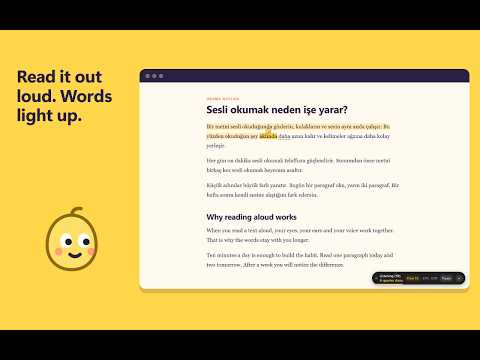
Read a page out loud and the words light up as you say them. Turkish and English.
Read any web page out loud and Read Along marks each word as you say it, so you always know where you are. Damla, a small drop of highlighter ink, walks along the line with you. At the end of a line she runs back to the start of the next one. Skip a paragraph and she somersaults over to it. - Follow your voice: the word you just said is marked, the next one is underlined, and the page scrolls with you. - Jump around: say a sentence from anywhere on the page and your place moves there. Each stretch gets its own pen colour. - Turkish and English: on a page with both, it switches by itself when you reach the other language. - Flow, goal, streak: flow counts the words you read without a break. Set a daily word goal and see how many days in a row you kept it. - Memorise mode: the text ahead is hidden and appears as you say it. Stuck? Hint shows the next three words. - Repeat marks: say a sentence again and it is underlined with a counter, so the parts you practised stay visible. Good for rehearsing a talk, practising pronunciation, or getting a child through a page of homework. Your voice: recognition is done by Chrome's own speech engine, which may process audio on Google's servers. Read Along has no server and no account. It keeps your settings and word counts on your device and nothing else. Shortcuts: Alt+Shift+R start or pause, Alt+Shift+S pick a start word, Alt+Shift+X reset. Needs Chrome 139 or newer and a microphone.
0 out of 5No ratings
Details
- Version0.1.0
- UpdatedNovember 21, 2026
- Size48.79KiB
- Languages2 languages
- DeveloperWebsite
Email
kaplanhuseyin1999@gmail.com - Non-traderThis developer has not identified itself as a trader. For consumers in the European Union, please note that consumer rights do not apply to contracts between you and this developer.
Privacy

This developer declares that your data is
- Not being sold to third parties, outside of the approved use cases
- Not being used or transferred for purposes that are unrelated to the item's core functionality
- Not being used or transferred to determine creditworthiness or for lending purposes
Support
For help with questions, suggestions, or problems, visit the developer's support site