


Overview
Elevate your LinkedIn presence with AI-generated comments. Engage smarter, not harder.
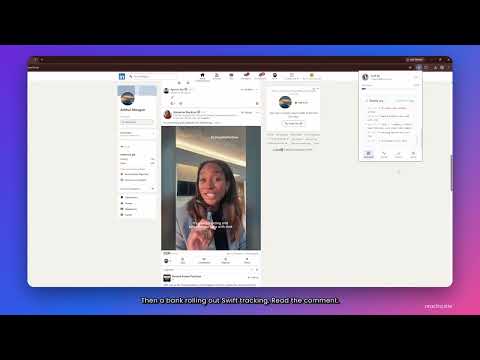
Reactra is a Chrome extension that reads the posts in your LinkedIn feed and writes comments and reactions in your voice, within a daily limit you set. HOW IT WORKS Open your LinkedIn home feed, open Reactra, choose how many posts to handle, and press Run. Reactra reads each post in full, skips ads, job listings, your own posts and anyone you engaged with recently, then writes a comment that responds to what the post actually says and reacts to it. Every step is narrated in the activity log while it happens. YOU STAY IN CONTROL - Every run starts with your click. There is no scheduler and no autopilot. - Set a daily limit. Reactra stops there, every day. - Pick a tone: professional, casual, empathetic, humorous or questioning. - Comments are paced like a person reading, with pauses and posts skipped on purpose. - A quality check rejects anything generic, any links or hashtags, and near-duplicates before posting. - If LinkedIn shows a warning, Reactra stops and waits a day. YOUR DATA Sign in with Google. Your Groq API key is stored only in your browser and never uploaded. Post text is sent to Groq to write the comment. Your activity history is saved to your account so you can review and export it as CSV or JSON. Anonymous usage telemetry can be switched off in Settings. Reactra uses no private LinkedIn APIs. LinkedIn's User Agreement restricts automated tools, so keep limits conservative and review what is posted. Early access. Built by one founder who answers every message. reactra.site
0 out of 5No ratings
Details
- Version2.3.2
- UpdatedOctober 23, 2026
- Size419KiB
- LanguagesEnglish
- DeveloperWebsite
Email
rayyanzain59@gmail.com - Non-traderThis developer has not identified itself as a trader. For consumers in the European Union, please note that consumer rights do not apply to contracts between you and this developer.
Privacy

Reactra: Smart Comments for LinkedIn has disclosed the following information regarding the collection and usage of your data. More detailed information can be found in the developer's privacy policy.
Reactra: Smart Comments for LinkedIn handles the following:
This developer declares that your data is
- Not being sold to third parties, outside of the approved use cases
- Not being used or transferred for purposes that are unrelated to the item's core functionality
- Not being used or transferred to determine creditworthiness or for lending purposes
Support
For help with questions, suggestions, or problems, visit the developer's support site