

Right-Click Prompt (RCP): AI Prompt Manager

Overview
Save your best AI prompts and access them in two clicks. Sync across devices. Distribute prompt libraries to your whole team.
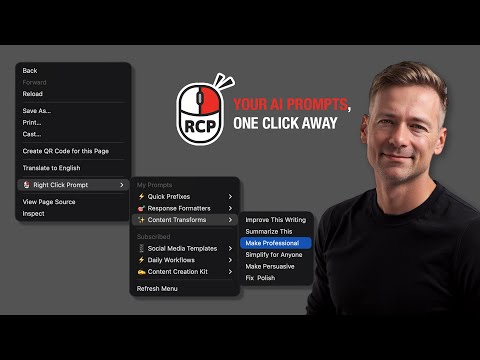
Right-Click Prompt: Your Best Prompts, One Click Away You wrote the perfect prompt once. Now it's buried in a doc, or gone. RCP keeps your prompts one right-click away, in any text field on any site. ChatGPT, Claude, Gmail, Notion, anywhere you type. No tab switching, no digging through notes. WORKS EVERYWHERE YOU TYPE A prompt library that only opens inside one AI site breaks at every handoff. RCP follows you across every tab and every tool you use. THE SIMPLEST WAY TO SHARE PROMPTS Send one link. The person opening it needs no account, it works on a phone, and they can copy and edit freely. Share a folder with your team and everyone gets your updates automatically. Update a prompt once, everyone has the new version. ALSO INCLUDED Folders and organization. Full-text search. Version history. Usage analytics. Import and export. Sync across all your devices. PRICING 7-day free trial, no card required. PRIVACY Your prompts sync securely to your account. No ads, no tracking, no selling your data. Install now. Right-click. Prompt smarter.
4.6 out of 527 ratings
Details
- Version2.0.9
- UpdatedSeptember 8, 2026
- Size485KiB
- LanguagesEnglish (United States)
- DeveloperAI Adopters ClubWebsite
530 Ocean Dr apt 101 Miami Beach, FL 33139-6616 USEmail
aiadoptersclub@gmail.com - Non-traderThis developer has not identified itself as a trader. For consumers in the European Union, please note that consumer rights do not apply to contracts between you and this developer.
Privacy

Right-Click Prompt (RCP): AI Prompt Manager has disclosed the following information regarding the collection and usage of your data. More detailed information can be found in the developer's privacy policy.
Right-Click Prompt (RCP): AI Prompt Manager handles the following:
This developer declares that your data is
- Not being sold to third parties, outside of the approved use cases
- Not being used or transferred for purposes that are unrelated to the item's core functionality
- Not being used or transferred to determine creditworthiness or for lending purposes
Support
For help with questions, suggestions, or problems, visit the developer's support site