

Raykit

Overview
One tool at a time — precision design tools in your browser. Press Cmd+Shift+K (customizable) to open.
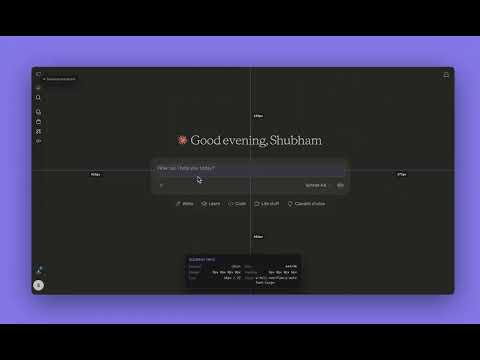
Raykit brings a Figma-like command palette to every website so you can inspect, measure, and capture without leaving the page. Toggle the palette with Cmd+Shift+K (Ctrl+Shift+K on Windows/Linux) to open focused tools built for product designers and front-end engineers. Key tools: • Spacing: snap distances between elements with pixel-accurate overlays. • Ruler: horizontal/vertical rulers with draggable guides. • Typography: read font stacks, weights, sizes, and line-height inline. • Contrast: WCAG contrast checker on hover with pass/fail badges. • Style Guide: extract colors, text styles, and assets from the current page. • Image Extractor: grab inline/background images and download in one click. • Element Shot: capture selected elements or full pages; auto-names files. • Breakpoint Snapshots: batch screenshots at custom widths for responsive QA. Why teams use it: fast keyboard workflow, zero sign-up, runs entirely in the browser, and cleans itself up with Esc.
0 out of 5No ratings
Details
- Version1.3.0
- UpdatedFebruary 23, 2026
- Offered byshubhambhatt.mailbox
- Size77.15KiB
- LanguagesEnglish
- Developer
Email
shubhambhatt.mailbox@gmail.com - Non-traderThis developer has not identified itself as a trader. For consumers in the European Union, please note that consumer rights do not apply to contracts between you and this developer.
Privacy

This developer declares that your data is
- Not being sold to third parties, outside of the approved use cases
- Not being used or transferred for purposes that are unrelated to the item's core functionality
- Not being used or transferred to determine creditworthiness or for lending purposes
Support
For help with questions, suggestions, or problems, please open this page on your desktop browser