


Overview
Track projects, sessions, earnings, goals, and work history across AI contractor platforms. No screenshots or task content.
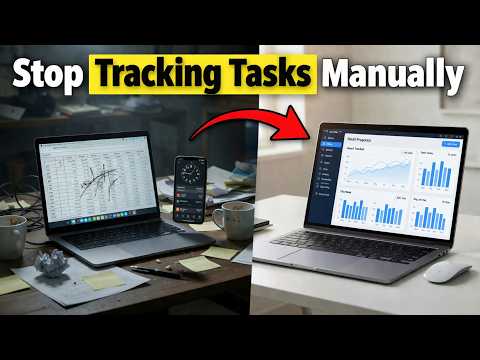
RaterSidekick is a private work hub for AI contractors, raters, reviewers, and specialist evaluators. It helps you keep your own record of projects, sessions, tasks, estimated earnings, goals, and work history across the AI work sites you connect — so your work record stays with you when platforms, projects, or contracts change. Many AI platforms show activity inside their own dashboard. RaterSidekick gives you your side of the record: what you worked on, where your time went, how much you may have earned, which projects or profiles were active, and how your work changed over time. It is not employer monitoring software and does not replace any tracker your platform requires. RaterSidekick is for your own private records. The extension only activates on the sites you explicitly connect. It does not take screenshots, log keystrokes, record your screen, capture prompts, save answers, copy submissions, or store task content. == Features == ** Private work hub for AI contractor projects and platforms ** Session, task, active-time, and idle-time tracking ** Estimated earnings and hourly output views ** Project/Profile system for separating sites, contracts, projects, or workflows ** Per-site and per-profile configuration ** Task tracking from a configured submit button or keyboard shortcut ** Current-task timer since your last submit ** Optional allocated-time and task-type capture where supported ** Goals and pacing views for tracking progress over time ** Dashboard for connected sites, profiles, sessions, tasks, and earnings ** Filters by site, profile/project, and date range ** Quick dashboard access from the extension popup ** End-of-session summaries for tasks, active time, idle time, and output == Who it's for == RaterSidekick is built for AI contractors, raters, reviewers, annotators, and specialist evaluators who want one private place to manage their work across platforms. It is especially useful if you: ** Work across more than one AI platform ** Switch between projects, contracts, or task sites ** Want to track estimated earnings by platform or project ** Need a clearer record of sessions, tasks, rates, and output ** Want work history you can reference later for planning, reporting, or career documentation ** Prefer not to manage everything manually in spreadsheets, notes, or scattered platform dashboards == Privacy == RaterSidekick only asks for site access on the work sites you connect. It does not silently activate elsewhere. It does not take screenshots. It does not log keystrokes. It does not record your screen. It does not capture prompts, answers, submissions, or task content. Your work record is built from private session and task metadata on the sites and profiles you configure. == Important note == If an AI platform requires its own tracker, dashboard, or reporting process, you should continue following that platform’s rules. RaterSidekick is designed to give you your own private work record alongside platform systems, not to replace required platform tools. == Enjoying RaterSidekick? == If RaterSidekick helps you keep a clearer record of your AI contractor work, a rating helps other contractors find it. Thank you.
0 out of 5No ratings
Details
- Version2.6.1
- UpdatedMay 20, 2026
- FeaturesOffers in-app purchases
- Size197KiB
- LanguagesEnglish
- DeveloperWebsite
Email
jsillo38@gmail.com - Non-traderThis developer has not identified itself as a trader. For consumers in the European Union, please note that consumer rights do not apply to contracts between you and this developer.
Privacy

RaterSidekick — AI Contractor Work Hub has disclosed the following information regarding the collection and usage of your data. More detailed information can be found in the developer's privacy policy.
RaterSidekick — AI Contractor Work Hub handles the following:
This developer declares that your data is
- Not being sold to third parties, outside of the approved use cases
- Not being used or transferred for purposes that are unrelated to the item's core functionality
- Not being used or transferred to determine creditworthiness or for lending purposes
Support
For help with questions, suggestions, or problems, visit the developer's support site