

Ramble
5 ratings
)
Overview
Turn voice rambles and typed thoughts into polished AI prompts.
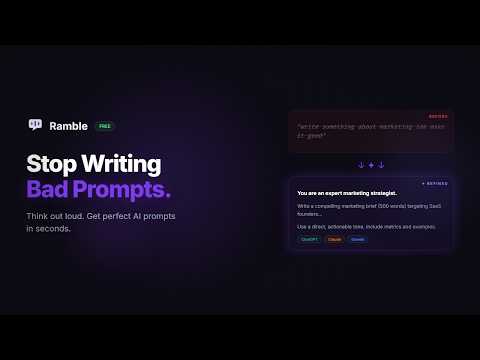
Stop writing bad prompts. Start rambling. Ramble is the fastest way to get better results from AI. Brain dump your raw thoughts — by voice or text — and Ramble instantly transforms them into expertly crafted prompts tailored to your AI model. How it works: 1. Ramble — Type or speak your rough ideas, no filtering needed 2. Refine — One click and Ramble structures your thoughts into an optimized prompt 3. Use — Copy your polished prompt straight into ChatGPT, Claude, or Gemini Why Ramble? • Voice-first — Hit record and think out loud. Ramble does the rest. • Model-aware — Automatically detects whether you're using ChatGPT, Claude, or Gemini and tailors the prompt format for best results. • Instant polish — Go from scattered thoughts to structured, detailed prompts in under 2 seconds. • Zero learning curve — No prompt engineering knowledge needed. Just say what you want. • No account, no signup, free install 🔒 Privacy & Permissions — Why Ramble needs what it asks for: We know permission warnings can look scary. Here's exactly what each one does and why it's needed: • "Read and change your data on specific websites" — Ramble integrates directly into ChatGPT, Claude, and Gemini so you can use it without leaving your AI chat. It only runs on these AI sites — nowhere else. It cannot see your browsing history, passwords, or any other websites. • "Modify data you copy and paste" — This is how the one-click "Copy" button works. When you click Copy on your refined prompt, Ramble places it on your clipboard so you can paste it. It never reads your existing clipboard content. Ramble does not collect, store, or transmit any of your data. All processing happens locally on your device or through your own AI provider. No analytics, no tracking, no accounts. Perfect for: • Professionals who use AI daily but don't have time to craft perfect prompts • Anyone who thinks faster than they type • Teams who want consistent, high-quality AI interactions Turn every AI conversation into a great one. Install Ramble — it's free.
5 out of 55 ratings
Details
- Version0.1.1
- UpdatedMarch 24, 2026
- Size35.23KiB
- LanguagesEnglish
- DeveloperMJM Capital
9 Cobalt Rd Moana, SA 5169 AUEmail
maciver@mjmcapital.com.auPhone
+61 424 244 467 - TraderThis developer has identified itself as a trader per the definition from the European Union and committed to only offer products or services that comply with EU laws.
- D-U-N-S889578030
Privacy

Ramble has disclosed the following information regarding the collection and usage of your data. More detailed information can be found in the developer's privacy policy.
Ramble handles the following:
This developer declares that your data is
- Not being sold to third parties, outside of the approved use cases
- Not being used or transferred for purposes that are unrelated to the item's core functionality
- Not being used or transferred to determine creditworthiness or for lending purposes