

RabbitHole
5.0(
5 件の評価
)拡張機能ワークフローと計画121 ユーザー

概要
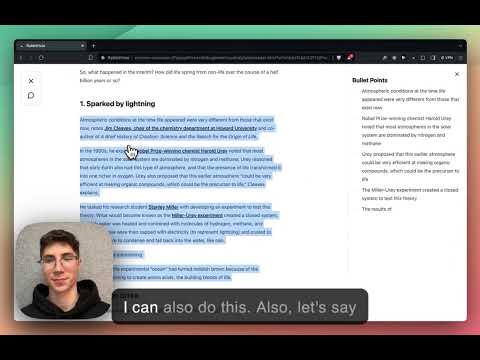
Read and understand articles faster.
When you're reading an article online you can press the keyboard shortcut Opt+L (Alt+L on Windows) and this will bring you in "Reading Mode". In "Reading Mode", all the distractions are removed and you can use features to read and understand the article faster. The features include: - summarize paragraphs - turn paragraphs into bullet points - translate sentence into 40+ languages - do a google search for a concept you don't know without leaving the page - chat with the article: ask questions and get clear and direct answers without having to read the entire article
5 点満点で 55 件の評価
詳細
- バージョン0.0.1
- 更新:2024年3月23日
- サイズ2.39MiB
- 言語English
- デベロッパー
メール
mattiapomelli@gmail.com - 非取引業者このデベロッパーは取引業者として申告していません。EU 加盟国の消費者とこのデベロッパーとの間に締結された契約には、消費者の権利が適用されません。
プライバシー

拡張機能を管理し、組織での使用状況を確認できます
RabbitHole から、お客様のデータの収集と使用に関する以下の情報が開示されています。 詳しくは、デベロッパーの privacy policy をご確認ください。
RabbitHole は次を扱います。
個人を特定できる情報
認証に関する情報
このデベロッパーは、お客様のデータについて以下を宣言しています
- 承認されている以外の用途で第三者に販売しないこと
- アイテムの中心機能と関係のない目的で使用または転送しないこと
- 信用力を判断する目的または融資目的で使用または転送しないこと