Item logo image for r12: grid overlay & layout inspector

r12: grid overlay & layout inspector

Item media 5 (screenshot) for r12: grid overlay & layout inspector
Item media 1 (screenshot) for r12: grid overlay & layout inspector
Item media 2 (screenshot) for r12: grid overlay & layout inspector
Item media 3 (screenshot) for r12: grid overlay & layout inspector
Item media 4 (screenshot) for r12: grid overlay & layout inspector
Item media 5 (screenshot) for r12: grid overlay & layout inspector
Item media 1 (screenshot) for r12: grid overlay & layout inspector
Item media 2 (screenshot) for r12: grid overlay & layout inspector
Item media 3 (screenshot) for r12: grid overlay & layout inspector
Item media 4 (screenshot) for r12: grid overlay & layout inspector
Item media 5 (screenshot) for r12: grid overlay & layout inspector

Overview

Inspect spacing, margins, alignment, and responsive layouts on any website or design tool.

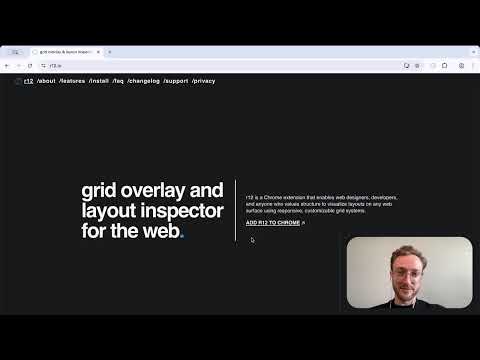
▔▔▔▔▔▔▔▔▔▔▔▔▔▔ r12 is a precision grid overlay for anyone who values structure — from web designers and developers to creatives and professionals. Activate it with a single click to visualize 12-column, modular, baseline or rule-of-thirds systems directly on websites, documents, design tools or even your resume. Built around clarity, order, and usability. ▔▔▔▔▔▔▔▔▔▔▔▔▔▔ ⊞ GRID OVERLAYS ▪︎ Classic Guides — 12-column, rule-of-thirds, modular, baseline and center lines. ▪︎ Columns & Rows — customizable, responsive grids for any layout. ▪︎ Device Presets — mobile, tablet, laptop, desktop. ▪︎ Gutter Control — adjust inner and outer gutters independently. ⧉ RESPONSIVE MODE ▪︎ Each preset automatically adjusts columns, rows, gutters, and margins. ▪︎ Switch between mobile, tablet, laptop, and desktop layouts. ▪︎ Adjust breakpoint widths for each device. ▪︎ Preview responsive layouts instantly. ⇥ MARGIN CONTROL ⇤ ▪︎ Linked / Unlinked Margins — control spacing uniformly or adjust sides independently. ▪︎ Position grids anywhere — align over resumes, portfolios, design tools, or websites. ▪︎ Outer Gutter Toggle — switch between margin-based or gutter-based edges. ▪︎ Responsive Margins — adapt automatically to device presets. ⊡ POPUP CONTROLS ▪︎ Minimal, fast, and accessible interface. ▪︎ Contrast Control — adjust color, opacity, and line weight. ▪︎ Live Preview — see changes instantly as you adjust settings. ▪︎ Accessibility — ARIA labels, keyboard navigation, high contrast. ⛭ PERFORMANCE & PRIVACY ▪︎ Works anywhere — on design tools, web apps, or static pages. ▪︎ State Memory — all controls are synced to browser storage. ▪︎ Lightweight overlays — zero impact on performance. ▪︎ No analytics, cookies, or data collection — ever. ▔▔▔▔▔▔▔▔▔▔▔▔▔▔ ⌘ HOW TO USE ↳ Add r12 to Chrome and pin it to your toolbar. ↳ Click the r12 globe icon. ↳ Adjust columns, gutters, and margins from the popup. ↳ Use Responsive Mode to preview grids across devices. ↳ Review your layouts. ▔▔▔▔▔▔▔▔▔▔▔▔▔▔ ❖ FAQ ▪︎ If grids are not visible, refresh the page or restart the browser. ▪︎ Saves local preferences (grid, margins, color) — no personal data collected. ▪︎ Works on all websites and web-based design tools (e.g., Figma, Canva, Notion). ▪︎ Supports both light and dark modes. ▪︎ Free to use. ▔▔▔▔▔▔▔▔▔▔▔▔▔▔ ⁂ GRID FOUNDATIONS ▪︎ Figma — Layout Grids ⤏ figma.com/best-practices/everything-you-need-to-know-about-layout-grids/ ▪︎ Google — Material Design Layout ⤏ m2.material.io/design/layout/understanding-layout.html ▪︎ Design Lab — History & Theory ⤏ designlab.com/blog/grid-systems-history-ux-ui-layout ▔▔▔▔▔▔▔▔▔▔▔▔▔▔ Questions or feedback? 💌 r12.grids@gmail.com Changelog: r12.io/changelog ▔▔▔▔▔▔▔▔▔▔▔▔▔▔

Details

  • Version
    0.2.0
  • Updated
    December 9, 2025
  • Size
    38.49KiB
  • Languages
    English
  • Developer
    Website
    Email
    r12.grids@gmail.com
  • Non-trader
    This developer has not identified itself as a trader. For consumers in the European Union, please note that consumer rights do not apply to contracts between you and this developer.

Privacy

The developer has disclosed that it will not collect or use your data. To learn more, see the developer’s privacy policy.

This developer declares that your data is

  • Not being sold to third parties, outside of the approved use cases
  • Not being used or transferred for purposes that are unrelated to the item's core functionality
  • Not being used or transferred to determine creditworthiness or for lending purposes

Support

Related

Peek - Design & Asset Toolkit

4.6

Extract assets, colors, typography & tokens from any site. Export to CSS, SCSS, Tailwind & more. The ultimate dev & design toolkit.

Responsive Website Testing Toolkit - Multiple Viewport Simulator

3.9

An essential tool to test the responsiveness of any website on multiple screens simultaneously

Hoverify: All-in-one extension for web developers

4.1

All-in-one browser extension that helps you inspect, edit, test, debug, capture, and optimize websites faster.

SpacingJS

4.3

Precision spacing measurement tool for web developers and designers. Hold Alt/Option key and hover over elements to measure.

Screen Ruler - Measure The Web

4.6

Measure sizes, distances, margins and paddings of any element on any web page.

Annotate Web

4.4

Use annotate web to annotate websites and draw on a page as a marker or highlight important parts of the page.

UI Inspector - Visual CSS Editor

3.7

Inspect and visually edit elements and their CSS directly on the page for faster design and UI debugging.

Site Inspector

4.8

Inspect. Analyze. Understand. All-in-one tool for web developers and SEO professionals. Comprehensive web analysis and insights.

CSS Pully – Font & Color & Style Inspector

5.0

Font & CSS Detector - CSS Pully extracts colors, fonts, shadows, and styles from any webpage. Perfect for designers & developers.

Screen Ruler

5.0

Use screen ruler for Chrome measure pixels on screen and as browser plugin. Get pixel ruler extension for website page dimensions.

Web Inspector

5.0

Use Web Inspector: Easily inspect element, use devtools, harness developer tooling and activate chrome debugger for work.

Web Inspector

5.0

Use Web Inspector tool as a CSS viewer and website inspector for any page. It is a browser plugin for google chrome inspect element.

Peek - Design & Asset Toolkit

4.6

Extract assets, colors, typography & tokens from any site. Export to CSS, SCSS, Tailwind & more. The ultimate dev & design toolkit.

Responsive Website Testing Toolkit - Multiple Viewport Simulator

3.9

An essential tool to test the responsiveness of any website on multiple screens simultaneously

Hoverify: All-in-one extension for web developers

4.1

All-in-one browser extension that helps you inspect, edit, test, debug, capture, and optimize websites faster.

SpacingJS

4.3

Precision spacing measurement tool for web developers and designers. Hold Alt/Option key and hover over elements to measure.

Screen Ruler - Measure The Web

4.6

Measure sizes, distances, margins and paddings of any element on any web page.

Annotate Web

4.4

Use annotate web to annotate websites and draw on a page as a marker or highlight important parts of the page.

UI Inspector - Visual CSS Editor

3.7

Inspect and visually edit elements and their CSS directly on the page for faster design and UI debugging.

Site Inspector

4.8

Inspect. Analyze. Understand. All-in-one tool for web developers and SEO professionals. Comprehensive web analysis and insights.

Google apps