


Overview
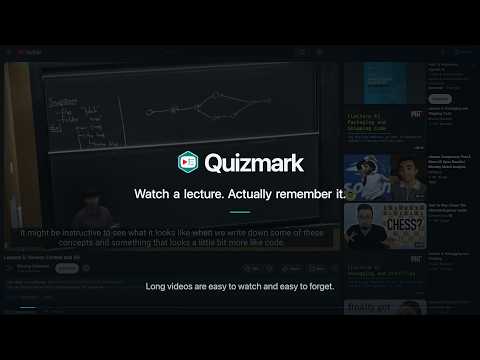
Adds short quizzes at natural breaks in YouTube videos and links every answer to its source.
TURN WATCHING INTO ACTIVE RECALL Quizmark adds short, interactive quizzes at planned breaks in captioned YouTube videos. Use it with videos you want to understand rather than simply finish. A PAUSE WITH PURPOSE At each planned break, the video pauses and a few questions check what stuck. Answer them, skip them, or turn automatic interruptions off and open a quiz from the timeline whenever you want. EVERY ANSWER POINTS BACK TO THE VIDEO Each question links directly to the passage that supports it. Choose Watch to revisit that moment, then return to the same quiz with your watching position kept. Quiz markers on the timeline make completed and upcoming quizzes easy to find. QUIZZES ARE PREPARED WHILE YOU WATCH Quizmark prepares questions in the background and checks each candidate against the video before it appears. AI can still make mistakes, so the source link lets you check the answer yourself. BRING YOUR OWN KEY Bring your own API key or use a compatible model running on your computer. There is no Quizmark account or subscription. YOUR SETTINGS AND HISTORY STAY IN YOUR BROWSER Generated questions, answers, and settings are stored in your browser. Quizmark does not operate a quiz-generation server. KEY FEATURES • Adjust quiz intervals, difficulty, and number of questions. • Turn off interruptions and take ready quizzes from the timeline. • Stop new generation while keeping quizzes you already have. • Use hands-off mode to prevent Quizmark from moving the playhead. • Take a cumulative final test at the end of the video's main content.
5 out of 54 ratings
Details
- Version0.7.5
- UpdatedSeptember 29, 2026
- Size461KiB
- LanguagesEnglish (United States)
- DeveloperWebsite
Email
support@getquizmark.com - Non-traderThis developer has not identified itself as a trader. For consumers in the European Union, please note that consumer rights do not apply to contracts between you and this developer.
Privacy

Quizmark for YouTube™ has disclosed the following information regarding the collection and usage of your data. More detailed information can be found in the developer's privacy policy.
Quizmark for YouTube™ handles the following:
This developer declares that your data is
- Not being sold to third parties, outside of the approved use cases
- Not being used or transferred for purposes that are unrelated to the item's core functionality
- Not being used or transferred to determine creditworthiness or for lending purposes
Support
For help with questions, suggestions, or problems, visit the developer's support site