

Quiz Boost AI - Smart Test Assistant, Exam Helper & Homework Quiz Solver

Overview
Smart AI based test assistant, quiz resolver, homework helper. Solve online tests, pass exams, improve skills for skill assessments
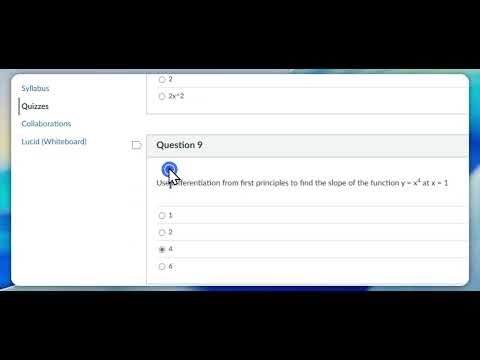
⭐ QuizBoost – Your AI Homework & Study Assistant QuizBoost is an AI homework helper designed to make online learning smoother, faster, and more effective. Whether you're working through assignments, reviewing course materials, or trying to better understand complex concepts, QuizBoost gives you instant support—right inside your browser. 🚀 Boost Your Learning - Get Instant answers by accessing Invisible AI assistance directly on learning platforms - Stay focused without switching tabs - Works on multiple question types (multiple choice, multiple select, matching, short answer, fill‑in‑the‑blank, and more) - Integrates seamlessly with popular learning systems such as Canvas, Blackboard, Moodle, D2L Brightspace, Schoology, and many others—making it easier to study and complete assignments efficiently. 🔒 Private, Secure, and Undetectable Your learning activity stays private. QuizBoost only activates when you choose to use it, and all data is encrypted to ensure a safe study experience. ⚙️ How It Works Using QuizBoost is simple: 1. Activate the extension on your learning platform 2. Wait 25 seconds for QuizBoost AI to analyze the page 3. Double‑click any question to auto fill suggested answers This workflow is designed for assignments, practice quizzes, and study sessions, helping you learn more efficiently. ⚠️ Important Note QuizBoost is designed only for studying, learning, and completing homework responsibly. Please do not use QuizBoost during exams, tests, or any proctored exams. Always follow your institution’s academic integrity guidelines. 📌 Disclaimer QuizBoost is an independent tool and is not affiliated with Canvas, Blackboard, Moodle, D2L, Schoology, or any other educational platform. All trademarks belong to their respective owners.
5 out of 510 ratings
Details
- Version1.0.3
- UpdatedMarch 9, 2026
- FeaturesOffers in-app purchases
- Size187KiB
- LanguagesEnglish
- DeveloperWebsite
Email
chenshifeng0521@gmail.com - Non-traderThis developer has not identified itself as a trader. For consumers in the European Union, please note that consumer rights do not apply to contracts between you and this developer.
Privacy

Quiz Boost AI - Smart Test Assistant, Exam Helper & Homework Quiz Solver has disclosed the following information regarding the collection and usage of your data. More detailed information can be found in the developer's privacy policy.
Quiz Boost AI - Smart Test Assistant, Exam Helper & Homework Quiz Solver handles the following:
This developer declares that your data is
- Not being sold to third parties, outside of the approved use cases
- Not being used or transferred for purposes that are unrelated to the item's core functionality
- Not being used or transferred to determine creditworthiness or for lending purposes
Support
For help with questions, suggestions, or problems, please open this page on your desktop browser