Item logo image for QuietTube: Autoplay Blocker for YouTube

QuietTube: Autoplay Blocker for YouTube

5.0(

1 rating

)
Item video thumbnail
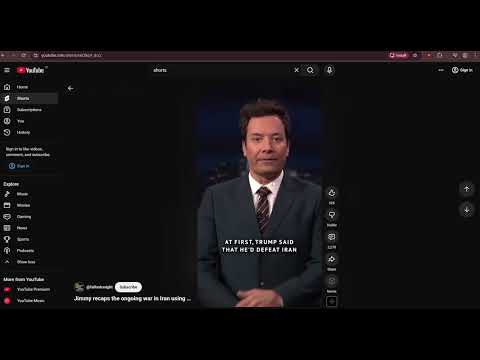
Item media 2 (screenshot) for QuietTube: Autoplay Blocker for YouTube

Overview

Prevents video autoplay exclusively on YouTube. Upgrades your UX.

Take back control of your YouTube experience with QuietTube: The ultimate, lightweight YouTube autoplay blocker designed for distraction-free viewing. Tired of YouTube deciding what you watch next? If the native toggle isn’t enough, and other extensions break your player or completely ignore Shorts, QuietTube is your solution. QuietTube works silently to give you back your focus. Videos will only play when you are ready. It's the perfect background tab blocker for office workers, and a must-have tool if you want to save bandwidth on YouTube. WHY QUIETTUBE STANDS OUT: 🛑 Disable YouTube Playlist Autoplay Other blockers only stop the very first video in a playlist. QuietTube halts every subsequent video. Listening to auto-generated YouTube Mixes? The next track stays paused until you manually click play. 📱 Stop YouTube Shorts Autoplay Most extensions completely fail on Shorts. Our smart detector reliably freezes Shorts as you scroll. No more sudden loud noises or accidental video starts when you're just browsing your feed. ✨ Clean, Native Experience (0% CPU Usage) We don't use clunky overlays or fake play buttons that break your volume and subtitle controls. Unlike heavy alternatives, QuietTube boasts near 0% CPU usage and keeps your original YouTube player 100% intact. Nothing is broken, nothing is covered up. KEY FEATURES: Smart Click Detection: The extension knows the difference between your intentional clicks and YouTube's automatic triggers. Audio-Shield: Prevents split-second audio leaks when opening videos in background tabs. Ultra-Lightweight & Saves Bandwidth: Extremely efficient code that stops videos from buffering endlessly, helping you save RAM and internet traffic. Quick Toggle: Easily disable protection from the extension menu when you want to binge-watch. Privacy First: Zero data collection. We don't track your history or inject ads. Install QuietTube and enjoy the silence.

Details

  • Version
    1.1.3
  • Updated
    March 29, 2026
  • Size
    22.08KiB
  • Languages
    3 languages
  • Developer
    Email
    l1nostranec.respawn@gmail.com
  • Non-trader
    This developer has not identified itself as a trader. For consumers in the European Union, please note that consumer rights do not apply to contracts between you and this developer.

Privacy

Manage extensions and learn how they're being used in your organization
The developer has disclosed that it will not collect or use your data. To learn more, see the developer’s privacy policy.

This developer declares that your data is

  • Not being sold to third parties, outside of the approved use cases
  • Not being used or transferred for purposes that are unrelated to the item's core functionality
  • Not being used or transferred to determine creditworthiness or for lending purposes

Related

YouTube Auto Pause

3.8

YouTube Auto Pauser pauses videos upon opening, letting you start watching without missing anything.

YouTube turn off autoplay

3.6

Wondering how to turn off autoplay on YouTube? Install our autoplaystopper Chrome extension.

YouTube Autoplay Preventer - Stop Video Previews

3.0

Block YouTube video autoplay on hover. Save bandwidth and prevent unwanted sounds.

LockYt - Stay Focused, Block Distractions

4.4

Transform YouTube into a focused workspace. Block shorts, recommendations, comments, and distractions to boost your productivity…

Dark Mode+(Karanlık Mod+)

0.0

Karanlık Mod+ gece modu olmayan sitelere gece modu ekleyerek kullanımı kolaylaştırır. Ekran parlaklık ayarı ile göz sağlığını korur.

HushMode — Block Autoplay Videos

4.3

Silences every autoplay video and audio on the internet. Videos stay visible — they just won't play until you want them to.

NightShield Pro - Smart Dark Mode & Eye Protection

0.0

Smart dark mode extension with AI themes, blue light filter, scheduling, and per-site controls to reduce eye strain.

Stop AutoPlay Next for YouTube™

3.6

Stop YouTube from playing the next track, and auto navigate to the next suggestion (aka disable autoplay button)

Dark Mode Pro - Night Shift & Eye Care

0.0

Powerful Dark Mode with 10+ themes, Night Shift, Blue Light Filter, custom scheduling & 15+ controls for eye comfort

YouTube™ No Buffer - Stop Autoplaying

3.9

Prevents YouTube HTML5 and Flash players from auto-buffering (auto-playing) videos

YouTube Autoplay Blocker

5.0

Block YouTube autoplay when opening tabs or switching back to YouTube.

Disable Autoplay for YouTube™

3.1

Disable YouTube HTML5 player from auto-playing.

YouTube Auto Pause

3.8

YouTube Auto Pauser pauses videos upon opening, letting you start watching without missing anything.

YouTube turn off autoplay

3.6

Wondering how to turn off autoplay on YouTube? Install our autoplaystopper Chrome extension.

YouTube Autoplay Preventer - Stop Video Previews

3.0

Block YouTube video autoplay on hover. Save bandwidth and prevent unwanted sounds.

LockYt - Stay Focused, Block Distractions

4.4

Transform YouTube into a focused workspace. Block shorts, recommendations, comments, and distractions to boost your productivity…

Dark Mode+(Karanlık Mod+)

0.0

Karanlık Mod+ gece modu olmayan sitelere gece modu ekleyerek kullanımı kolaylaştırır. Ekran parlaklık ayarı ile göz sağlığını korur.

HushMode — Block Autoplay Videos

4.3

Silences every autoplay video and audio on the internet. Videos stay visible — they just won't play until you want them to.

NightShield Pro - Smart Dark Mode & Eye Protection

0.0

Smart dark mode extension with AI themes, blue light filter, scheduling, and per-site controls to reduce eye strain.

Stop AutoPlay Next for YouTube™

3.6

Stop YouTube from playing the next track, and auto navigate to the next suggestion (aka disable autoplay button)

Google apps