

Quietly: Full Page Screenshot and Blur

Overview
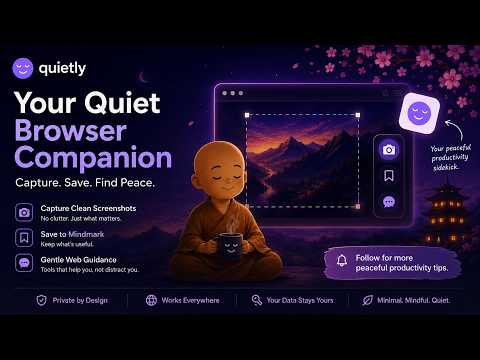
Full page screenshots that work on the dashboards other tools get wrong. Blur or black out anything private before you share.
Ask most screenshot tools to capture Search Console, a trading dashboard or a database console and you get back a tall thin column with none of the page's own navigation, a sidebar repeated down the image, or a panel cut off at whatever happened to be on screen. That is the problem this was built for. WHAT IT DOES ☑ Full page capture, scrolled and stitched, up to 30,000 pixels tall ☑ Keeps a dashboard's own header and side navigation, once, at the top ☑ Panels and side navigation with their own scrollbar are captured in full, not just the part on screen ☑ Visible area capture, exactly what is on screen ☑ Select a region by dragging, and drag past the bottom edge to keep scrolling ☑ Three second timer, for when you need to open a menu first ☑ Switch tabs mid-capture and it pauses, then carries on when you come back ☑ Resets browser zoom and waits for lazy-loaded images ☑ Hides floating bars and sticky sidebars so they do not repeat ☑ Blur, pixelate or black out anything private ☑ Arrows, boxes and text on top of the capture ☑ Strips the image's hidden metadata before you share it ☑ Save as PNG, JPEG or WEBP ☑ Save to your own Google Drive or Dropbox ☑ Copy straight to the clipboard ☑ Twelve languages ☑ Free. WHAT IT WILL NOT DO ☑ Refuses a page with more than two scrolling panels, and saves nothing ☑ Tells you when a capture stalls, and clears itself out of the way ☑ Every failure says plainly that nothing was saved, and what to try instead A screenshot that looks right and is not is worse than no screenshot. NOTHING IS UPLOADED TO US ☑ Screenshots stay on your device unless you save them to your own Google Drive or Dropbox (New update) ☑ Those uploads go straight from your browser to your account, never through a Quietly server ☑ No account, no telemetry ☑ No blanket permission to read the sites you visit ☑ Acts on a page only after you invoke it there Quietly has no server to upload screenshots to. Not as a setting you switch off. COMING ☐ Finds private information in a capture and shows you where, before you share ☐ Redacting many files at once Checked by hand on the kinds of dashboards other tools get wrong. Available in English, Spanish, French, German, Portuguese, Japanese, Korean, Hindi, Tamil, Thai, Chinese and Assamese. How to use it: https://quietly.tools/capture/guide Report a problem: https://quietly.tools/report More tools: https://quietly.tools
5 out of 51 rating
Details
- Version0.8.53 panels and navigation captured in full
- UpdatedSeptember 14, 2026
- Size851KiB
- LanguagesEnglish
- DeveloperWebsite
Email
helloquietlytools@gmail.com - Non-traderThis developer has not identified itself as a trader. For consumers in the European Union, please note that consumer rights do not apply to contracts between you and this developer.
Privacy

Quietly: Full Page Screenshot and Blur has disclosed the following information regarding the collection and usage of your data. More detailed information can be found in the developer's privacy policy.
Quietly: Full Page Screenshot and Blur handles the following:
This developer declares that your data is
- Not being sold to third parties, outside of the approved use cases
- Not being used or transferred for purposes that are unrelated to the item's core functionality
- Not being used or transferred to determine creditworthiness or for lending purposes
Support
For help with questions, suggestions, or problems, visit the developer's support site