

QuickSnap: Screenshot & Annotate to Google Drive

Overview
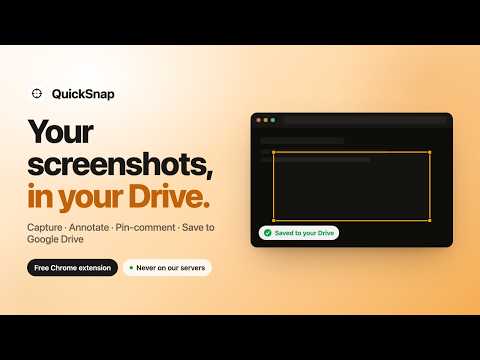
Capture full-page screenshots, annotate, and save straight to your Google Drive. Your images, your Drive, never our servers.
QuickSnap is a Chrome screenshot tool that saves your captures directly to your own Google Drive. Capture, annotate, and share screenshots without ever uploading them to a third-party server. 🚀 WHY QUICKSNAP ✅ Drive-first privacy: screenshot bytes go straight to your own Google Drive, never to our servers ✅ Real-time pin commenting on shared screenshots, Figma-style ✅ Full annotation suite included ✅ Built and maintained by an indie founder ✅ The minimal drive.file OAuth scope: we only see files QuickSnap creates 📦 EVERYTHING IT DOES 🎯 CAPTURE ✓ Selected area (drag to select any region) ✓ Full page (scrolls and stitches, up to 15,000px tall) ✓ Visible viewport (just what is on screen) ✓ Customisable keyboard shortcuts via Chrome shortcuts settings ✏️ ANNOTATE ✓ Arrows, rectangles, ellipses ✓ Blur tool for redacting PII and sensitive content ✓ Freehand pen, text boxes, numbered pins, highlight marker ✓ Konva-powered canvas with full undo/redo ✓ Save back to the same Drive file (preserves pin comments and share links) or fork as a new copy 💾 SAVE ✓ Direct upload to your Google Drive, never our servers ✓ Pick any Drive folder via Google Picker ✓ Offline save queue (auto-flushes when you reconnect) ✓ WebP compression (40 to 65 percent smaller than the source PNG, no visible quality loss) 🔗 SHARE ✓ Per-email access grants with role (reader or commenter) ✓ Public link sharing with optional expiry ✓ Real-time pin commenting on shared screenshots ✓ Captures themselves are always unlimited 🛠️ DEV MODE ✓ Captures console errors at screenshot time ✓ Captures failed network requests with status codes ✓ Bundles page metadata (URL, viewport, browser, OS) as a JSON sidecar in your Drive ✓ Element-specific capture (target a DOM node by CSS selector) ✓ Ideal for filing bug reports with complete repro context attached 👥 BUILT FOR ✅ Developers filing bug reports ✅ Product designers gathering async feedback ✅ Support teams documenting customer issues ✅ Indie founders sharing UI work with collaborators ✅ Anyone who wants their screenshot data on their own infrastructure, not a third party's 🔒 PRIVACY AND SECURITY Your screenshots NEVER touch our servers. This is the architecture, not a marketing claim. Image bytes flow from your browser straight to Google Drive. Our backend stores only what is strictly required for collaboration: Drive file IDs, pin coordinates, comment text, share link slugs. Zero image data, ever. We use the minimal drive.file OAuth scope, Google's narrowest Drive permission. It only grants access to files QuickSnap itself creates. Your existing Drive files (Docs, Photos, other folders) stay completely invisible to us. You can revoke our Drive access anytime at myaccount.google.com/permissions. We never use your screenshots, comments, or any account data to train AI. We never sell user data. 📩 SUPPORT Email hello@quicksnap.pro for any question. Most replies within 24 hours. 🔗 LINKS Website: https://quicksnap.pro Dashboard: https://app.quicksnap.pro Privacy policy: https://quicksnap.pro/privacy Changelog: https://quicksnap.pro/changelog
5 out of 53 ratings
Details
- Version4.4.0
- UpdatedJune 16, 2026
- Size301KiB
- LanguagesEnglish (United States)
- Developer
- Non-traderThis developer has not identified itself as a trader. For consumers in the European Union, please note that consumer rights do not apply to contracts between you and this developer.
Privacy

QuickSnap: Screenshot & Annotate to Google Drive has disclosed the following information regarding the collection and usage of your data. More detailed information can be found in the developer's privacy policy.
QuickSnap: Screenshot & Annotate to Google Drive handles the following:
This developer declares that your data is
- Not being sold to third parties, outside of the approved use cases
- Not being used or transferred for purposes that are unrelated to the item's core functionality
- Not being used or transferred to determine creditworthiness or for lending purposes
Support
For help with questions, suggestions, or problems, visit the developer's support site