Item logo image for QuickReach

QuickReach

4.8(

8 ratings

)
Item media 6 (screenshot) for QuickReach
Item video thumbnail
Item media 2 (screenshot) for QuickReach
Item media 3 (screenshot) for QuickReach
Item media 4 (screenshot) for QuickReach
Item media 5 (screenshot) for QuickReach
Item media 6 (screenshot) for QuickReach
Item video thumbnail
Item media 2 (screenshot) for QuickReach
Item media 3 (screenshot) for QuickReach
Item media 4 (screenshot) for QuickReach
Item media 5 (screenshot) for QuickReach
Item media 6 (screenshot) for QuickReach

Overview

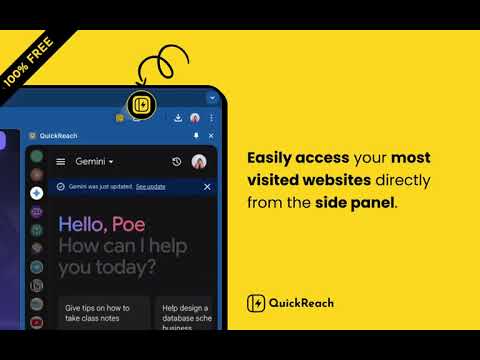
Quickly reach your favorite websites

QuickReach is a versatile Chrome extension designed to enhance your productivity by offering quick access to widely-used websites and tools directly from your browser’s side panel. This allows you to seamlessly switch between different platforms without interrupting your current browsing session. Why Use QuickReach? Instant Side-Panel Access: No need to switch between tabs or navigate away from the page you're on. QuickReach allows you to access essential platforms directly from the side panel while you continue browsing. All-in-One Hub: Access AI tools like ChatGPT, Claude, DeepSeek, Grok, Gemini, etc... or manage tasks with productivity apps like Google Tasks, Keep, Sheets, Docs, Presentations, and Notion—everything in one place for easy multitasking. Seamless Social & Entertainment: Stay connected with Telegram, WhatsApp, Google Message, watch videos on YouTube, enjoy music on YouTube Music, explore TikTok—all without leaving your current tab. QuickReach makes it easier to stay organized, entertained, and productive while you browse the web.

Details

  • Version
    2.0.2
  • Updated
    October 8, 2025
  • Offered by
    Set Kyar Wa Lar
  • Size
    521KiB
  • Languages
    English
  • Developer
    Email
    me@setkyar.com
  • Non-trader
    This developer has not identified itself as a trader. For consumers in the European Union, please note that consumer rights do not apply to contracts between you and this developer.

Privacy

The developer has disclosed that it will not collect or use your data. To learn more, see the developer’s privacy policy.

This developer declares that your data is

  • Not being sold to third parties, outside of the approved use cases
  • Not being used or transferred for purposes that are unrelated to the item's core functionality
  • Not being used or transferred to determine creditworthiness or for lending purposes

Support

Related

Sidebar Tab - pin Chat GPT-4o Gemini Claude in side bar

4.4

pin ChatGPT-4o Gemini Claude in side bar

AI Panel: Privacy-first AI sidebar on any webpage

5.0

Talk to AI in one click — without leaving a page.

SidePal: Your Language and AI Ally in Side Panel

0.0

Access multiple web dictionaries, ChatGPT, Google Translate, and more directly from the Chrome Side Panel with SidePal.…

Anything Copilot: Sidebar, Mini Window, Pip, Split-Screen

4.8

AI, right where you need it. Free in the sidebar & Mini Window.

AI Side Panel

4.9

Easily access AI sites via side panel

Page to Sidebar

3.5

See your desired website in the browser side panel.

Multi AI Sidebar

4.6

Access to all AI apps like OpenAI ChatGPT, Bing AI, Microsoft Copilot, Google Gemini and more in a single Sidebar. Get the best AI.

Manganum: Sidebar with Gmail and Google Calendar

4.3

One-click access to your productivity tools, even Google Calendar and Gmail.

Sidebar for ChatGPT - Free Access

4.7

Access ChatGPT directly from a browser sidebar!

Sidebar for Claude: Privacy First AI Sidebar

5.0

Access Claude AI directly from the browser sidebar

Open in Sidebar

4.3

Drop any link to the sidebar for dual-pane access

Page Sidebar | Open any page in side panel

4.2

Effortlessly open any website in your web browser's sidebar – streamline your workflow instantly!

Sidebar Tab - pin Chat GPT-4o Gemini Claude in side bar

4.4

pin ChatGPT-4o Gemini Claude in side bar

AI Panel: Privacy-first AI sidebar on any webpage

5.0

Talk to AI in one click — without leaving a page.

SidePal: Your Language and AI Ally in Side Panel

0.0

Access multiple web dictionaries, ChatGPT, Google Translate, and more directly from the Chrome Side Panel with SidePal.…

Anything Copilot: Sidebar, Mini Window, Pip, Split-Screen

4.8

AI, right where you need it. Free in the sidebar & Mini Window.

AI Side Panel

4.9

Easily access AI sites via side panel

Page to Sidebar

3.5

See your desired website in the browser side panel.

Multi AI Sidebar

4.6

Access to all AI apps like OpenAI ChatGPT, Bing AI, Microsoft Copilot, Google Gemini and more in a single Sidebar. Get the best AI.

Manganum: Sidebar with Gmail and Google Calendar

4.3

One-click access to your productivity tools, even Google Calendar and Gmail.

Google apps