

QuickPaste: Text Snippets & Text Expander

Overview
Stop retyping: type 2 letters to paste your address, email, phone or any saved text on any site. Private, no account.
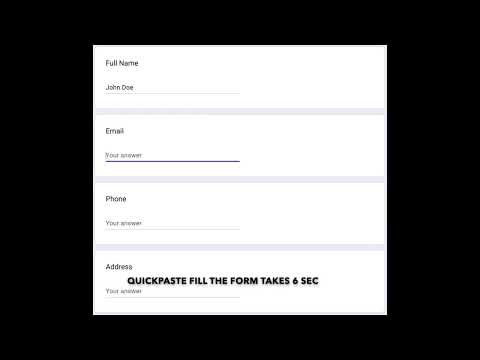
Type 2 letters. Your address, email or phone appears. Never retype it again. Tired of typing the same address, phone number and email into every form? QuickPaste is the text expander that remembers it for you. Save your text once, then type 2 letters of its name on any website and pick it from the list. Done in two keystrokes. Private. No account. Free for up to 10 entries. ▶ Watch the 1-minute demo: https://www.youtube.com/watch?v=emdoB134vuQ WHAT PEOPLE SAVE • Home and work addresses, phone numbers, emails and names for forms • Replies, signatures, snippets and notes you paste again and again • Links to the pages you open all the time (switches to the tab you already have open, no duplicates) HOW IT WORKS 1. Save a piece of text under a short name, like "Home address". 2. On any website, type 2 or more letters of the name in a text field. A list of matches pops up. 3. Press Enter or click. The word you typed is replaced by your saved text. Works in text boxes, text areas and rich editors, including many forms that block normal pasting. WHY YOU'LL KEEP IT • Instant suggestions as you type, matched on the name, the saved text or a tag • Tags keep things straight: give each entry up to 3 tags (Chase, Work, Mom) so two "username" entries never get mixed up. Type a tag and its entries show up • Quick search on any page with Cmd/Ctrl+Shift+K: search, insert, or save the text you selected as a new entry • Save the current website with one right-click • Pause for an hour, or turn QuickPaste off for one site or everywhere (Cmd/Ctrl+Shift+L) • Syncs across your browsers through your own Chrome or Edge account • Export and import your entries any time. No lock-in WORKS FOR GOOGLE DOCS, SHEETS AND SLIDES Press Cmd/Ctrl+Shift+K, pick an entry to copy it, then paste with Cmd/Ctrl+V. PRIVATE BY DESIGN • Your entries stay in your browser. QuickPaste has no servers that receive your text. • No account, no login, no tracking, no ads • Never inserts text into password fields FREE AND PRO Free: up to 10 entries with tags, sync, export, import and every core feature. Pro ($9.99 one time, no subscription): unlimited entries, Option/Alt+1 to 9 to pick a result, sort by most used, unlimited import, automatic backup and automatic cleanup. 30-day refund, no questions asked. ABOUT THE PERMISSIONS • Clipboard: some sites block ordinary typing and only accept a real paste. QuickPaste briefly uses the clipboard to insert your text, then restores what was there. Your clipboard is never stored or sent anywhere. • Tabs: when you open a saved link, QuickPaste checks your open tabs so it can switch to the page if it is already open. Tab addresses are compared on your device and never stored or sent. Questions or feedback: support@yltechstudio.com
0 out of 5No ratings
Details
- Version1.2.0
- UpdatedNovember 23, 2026
- FeaturesOffers in-app purchases
- Offered byYL Tech Studio
- Size59.79KiB
- LanguagesEnglish
- Developer
Email
ylstudio824@gmail.com - Non-traderThis developer has not identified itself as a trader. For consumers in the European Union, please note that consumer rights do not apply to contracts between you and this developer.
Privacy

QuickPaste: Text Snippets & Text Expander has disclosed the following information regarding the collection and usage of your data. More detailed information can be found in the developer's privacy policy.
QuickPaste: Text Snippets & Text Expander handles the following:
This developer declares that your data is
- Not being sold to third parties, outside of the approved use cases
- Not being used or transferred for purposes that are unrelated to the item's core functionality
- Not being used or transferred to determine creditworthiness or for lending purposes