Item logo image for QuickMeme

QuickMeme

5.0(

4 ratings

)
Item media 3 (screenshot) for QuickMeme
Item video thumbnail
Item media 2 (screenshot) for QuickMeme
Item media 3 (screenshot) for QuickMeme
Item video thumbnail
Item media 2 (screenshot) for QuickMeme
Item media 3 (screenshot) for QuickMeme

Overview

Create memes from any image with text overlay and customization

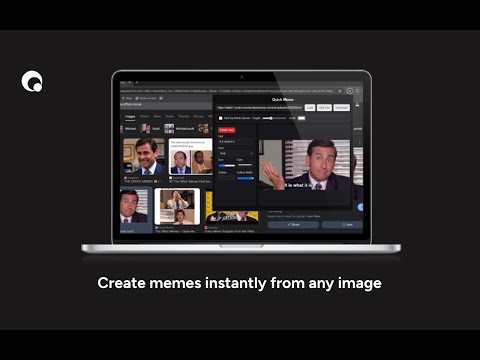
QuickMeme – The Fastest Way to Make Memes Turn any image into a meme in seconds! QuickMeme is a lightweight, easy-to-use Chrome Extension that lets you create, customize, and download memes directly from your browser popup. 🎯 Features: 1. Load image directly through context menu "Open with QuickMeme" 2. Paste any image URL and load it instantly 3. Add multiple text overlays anywhere on the image 4. Customize text with font, size, color, stroke, and outline 5. Classic meme formats with top and bottom captions 6. Download your meme as an image. No watermarks, no fuss 7. Copy the meme directly to Clipboard and paste it anywhere without downloading. Whether you're a casual meme-maker or just want to react with humor, QuickMeme makes it fun and effortless. 💡 No sign-up required. No image uploads. Just pure meme magic. Give it a try and start memeing smarter, not harder.

Details

  • Version
    1.1
  • Updated
    November 20, 2025
  • Offered by
    Saif Warraich
  • Size
    9.71MiB
  • Languages
    English
  • Developer
    Email
    msaif.ib10@gmail.com
  • Non-trader
    This developer has not identified itself as a trader. For consumers in the European Union, please note that consumer rights do not apply to contracts between you and this developer.

Privacy

Manage extensions and learn how they're being used in your organization
The developer has disclosed that it will not collect or use your data.

This developer declares that your data is

  • Not being sold to third parties, outside of the approved use cases
  • Not being used or transferred for purposes that are unrelated to the item's core functionality
  • Not being used or transferred to determine creditworthiness or for lending purposes

Related

Text to Image

4.3

Transform plain text into gorgeous visuals! Create stunning images with custom fonts and colors. Perfect for creators & marketers

Meme Quote Generator

0.0

Generate iconic, funny, and relatable meme quotes instantly!

Meme Finder (Tenor)

3.0

Search and copy memes via Tenor—no private tokens required.

Memevault

0.0

Save and organize memes and images from any website via drag-and-drop

Meme Generator

3.8

Meme Generator: create a meme masterpiece in seconds! Craft, customize, share — your go-to meme generator app for instant laughs!

MemeGeek

0.0

Create memes in seconds. 100+ templates, canvas editor, instant download.

Random Memes

0.0

Displays a random meme on every new tab

PicToMeme Generator

0.0

Generate memes from selected text using PicToMeme

Meme Creator

3.0

Right-click any image to create memes with custom text overlays

MemeMagic

5.0

MemeMagic - create the most up-to-date memes at your fingertip

Imgflip: Meme Generator & Gif Maker

4.7

Right-click any image to make a meme, or any video to make a GIF, loaded into Imgflip and ready to edit.

Memenya - Create Meme

0.0

Right-click any image to create a meme on memenya.com

Text to Image

4.3

Transform plain text into gorgeous visuals! Create stunning images with custom fonts and colors. Perfect for creators & marketers

Meme Quote Generator

0.0

Generate iconic, funny, and relatable meme quotes instantly!

Meme Finder (Tenor)

3.0

Search and copy memes via Tenor—no private tokens required.

Memevault

0.0

Save and organize memes and images from any website via drag-and-drop

Meme Generator

3.8

Meme Generator: create a meme masterpiece in seconds! Craft, customize, share — your go-to meme generator app for instant laughs!

MemeGeek

0.0

Create memes in seconds. 100+ templates, canvas editor, instant download.

Random Memes

0.0

Displays a random meme on every new tab

PicToMeme Generator

0.0

Generate memes from selected text using PicToMeme

Google apps